Week 6: Code, code, and more code and testing
3.8.26
Well, I had a couple of (small, but meaningful) wins this past week. I have created initial implemenations for some of the operators: mutation, crossover, and scoring! At the moment, there is a lot of planning complete, but also a lot of coding to do. This upcoming week, my focus is completing the second, and potentially third implementations of each operator. For some clarification...this is what I mean with initial, second, and third implemenations: start small; each implementation of the operators works for say, one 'individual' (an object with an array of polygons, a score, and a bitmap image) or the use of hardcoded values. Below are images of each operator implemented within a Windows Form, an explanation of my work, my progress, and next steps...
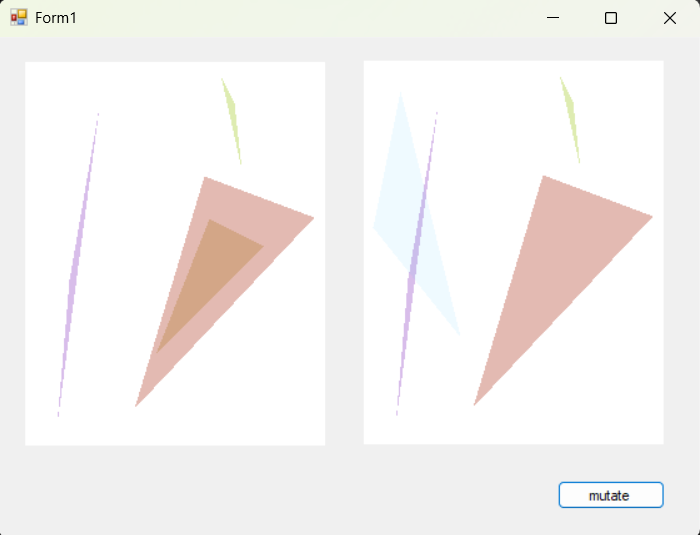
Crossover: Taking two 'individuals' [think of them as parents] to create a new 'individual' [think of this as the child]. The function does this by taking fifty percent of each parents' polygons and create a new 'individual' [the child]. Observe the image below...the picture box on the left is parentA, the picture box in the middle is parentB, and the picture box on the right is the child. The next implementation will involve a population of 'individuals' and selecting two [parent] 'individuals' at random, still taking fifty percent of each parents' polygons. The final implementation will again have a population and [parent] 'individuals' selected at random, but a parameter will be added to determine the number of polygons each [parent] 'individual' gives to the new 'individual' [the child].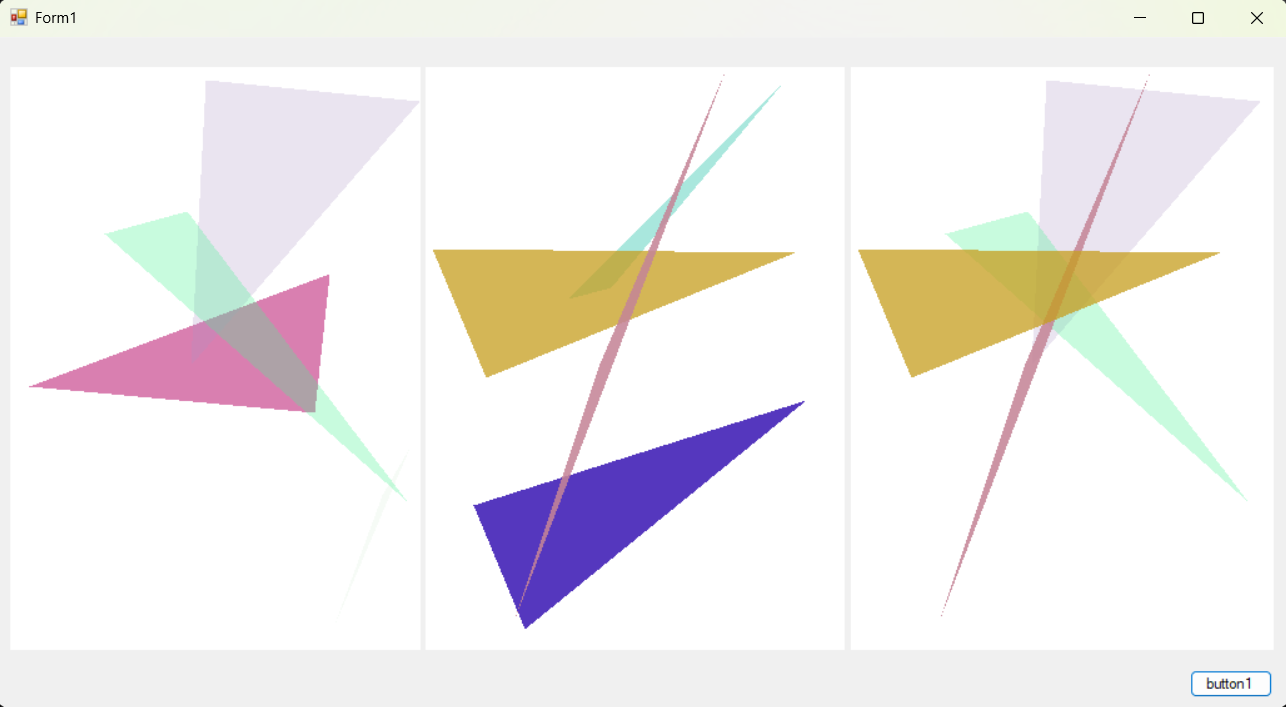 Mutation: Currently mutation is the following: taking an 'individual' and replacing a singular polygon. That's kind of it, honestly. The next
implementation will involve a population of 'individuals', in which an 'individual' will be selected at random, and a parameter will be used to
determine the number of polygons to mutate. Observe the image below...the picture box on the left is the original 'individual' and the mutated
image is on the right.
Mutation: Currently mutation is the following: taking an 'individual' and replacing a singular polygon. That's kind of it, honestly. The next
implementation will involve a population of 'individuals', in which an 'individual' will be selected at random, and a parameter will be used to
determine the number of polygons to mutate. Observe the image below...the picture box on the left is the original 'individual' and the mutated
image is on the right.
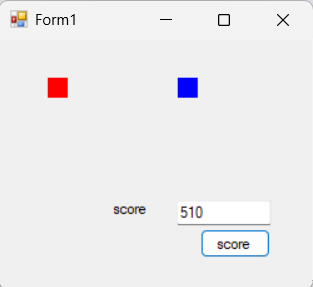
 Scoring: The idea of scoring is to be able to find the best solution. For my genetic algorithm, scoring is done by calculating the difference of Red,
Green, Blue (RGB) values between the target image, and the image to score. The current implemenation is (very very) simple: two squares, a red and a blue.
I calculated the score, which is 510, |255-0|+|0-0|+|0-255| = 510.
Observe the image below. I will be testing the scoring function with more colors as well as using images of two colors...more to follow in the coming weeks.
scoring function: (|targetRED-toScoreRED|+|targetGREEN-toScoreGREEN|+|targetBLUE-toScoreBLUE|)
Scoring: The idea of scoring is to be able to find the best solution. For my genetic algorithm, scoring is done by calculating the difference of Red,
Green, Blue (RGB) values between the target image, and the image to score. The current implemenation is (very very) simple: two squares, a red and a blue.
I calculated the score, which is 510, |255-0|+|0-0|+|0-255| = 510.
Observe the image below. I will be testing the scoring function with more colors as well as using images of two colors...more to follow in the coming weeks.
scoring function: (|targetRED-toScoreRED|+|targetGREEN-toScoreGREEN|+|targetBLUE-toScoreBLUE|)
 Stay tuned...!
 Stay tuned...!