Weeks 1-2
The past week and a half have been spent building the foundation for the rest of the semester. I have decided to develop in Visual Studio with a Windows Form Application. I have been able to connect the eyetracker to my machine and get some coordinates back. I have also been able to create some graphical interfaces with WinForms. The next step is to combine these two concepts and try to determine that someone is looking at a certain portion of the screen. I will just be using a very simple image, probably just split the screen into quadrants, and giving feedback when the coordinates overlap. If I can do that, it will be a great step in creating a more complicated search for objects.
Week 2
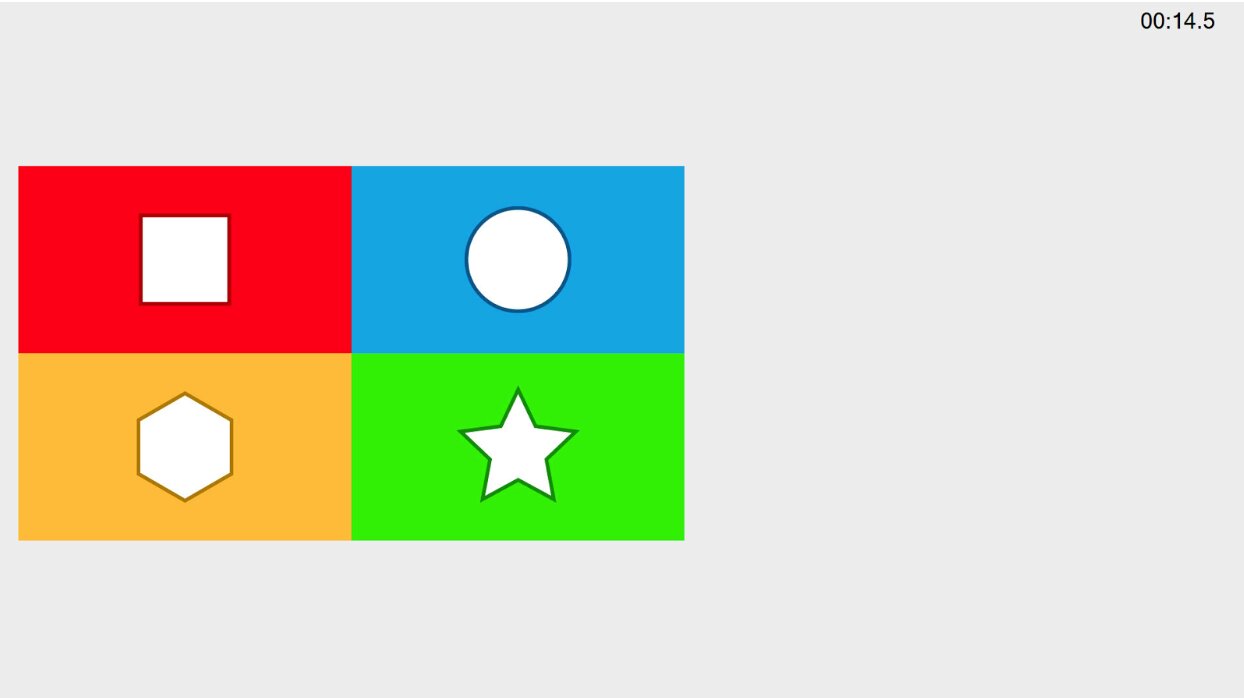
Since the last blog post, I have been attempting to show that I looked at an object, and do it without pressing a button. Using the System.Drawing.Graphics library I can draw on the screen. I set up a quick test screen with four corners, and used the gaze values that I was getting from the eyetracker to calculate which corner should be highlighted. The coordinate range from 0 to .999 on each axis. This next week I think I will try to find some more complicated images to use and place some more intricate highlights over the objects. On the horizon should also be getting the coordinate data and playing it back.
Week 3
Last week, I was able to prove that I at least glanced at an object. This was good, but I needed to be able to prove that someone looked at an object. This has been quite a bit tougher. I am still grappling with the relationship between the eye tracker coords, which are based off of the entire screen, and the coordinates of the hidden objects, which are currently bound to the window of the application, and possibly later, the image within the window. Everything is easy to keep track of if the window is full-screen. I don't think trying to account for the changing window size is as important as the structure of the game right now. Speaking of, I have been able to create a hiddenObject class which has an x, y, radius, and Lookcounter, which keeps track of how many ticks the gaze has been in its radius. When in full-screen, I have been able to match the coordinates, and make a shape appear over the coordinates after looking at it for about a second and a half.
Week 4
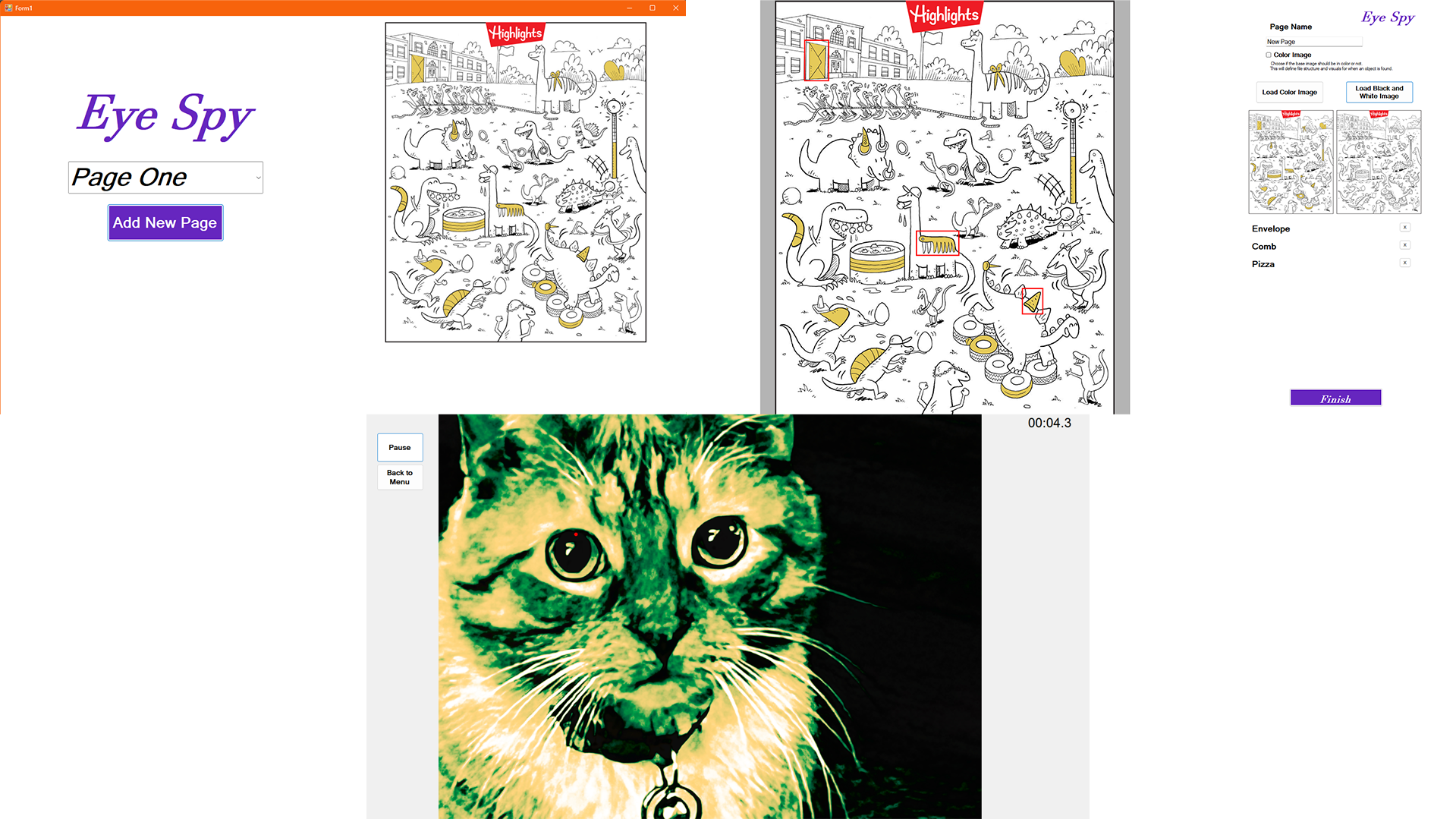
I know last week I said that the coordinates were "not as important as the structure of the game right now" last week, but that was actually the main development this week. In fact, I would say that the coordinate issue is resolved now. The application now opens in fullscreen, with no title box, it is all that the user sees. The image is now smaller inside the client window, off to the side so that the key of objects can live off to the right. This seems to be a reasonable way to organize the information, and keep the eyetracker coords and the coords of the client consistent. I also found some good hidden object pictures to use, because I have been using a goofy test image up until now (seen below), they are from the Highlights magazine, and they work especially well with what I am planning to do because they are black and white line art. This is good because I wanted to have the objects become colored in when they were found, both on the image and in the key.I will need to create the colored-in images and then line them up with the image so they can appear seamlessly. This will be tedious, and I am looking for ways to make this less tedious, one way may be to develop a back-end application to register the coords of my clicks when I click on objects so I have a list of coords for the objects. That will take some finagling but would be useful.
Week 5
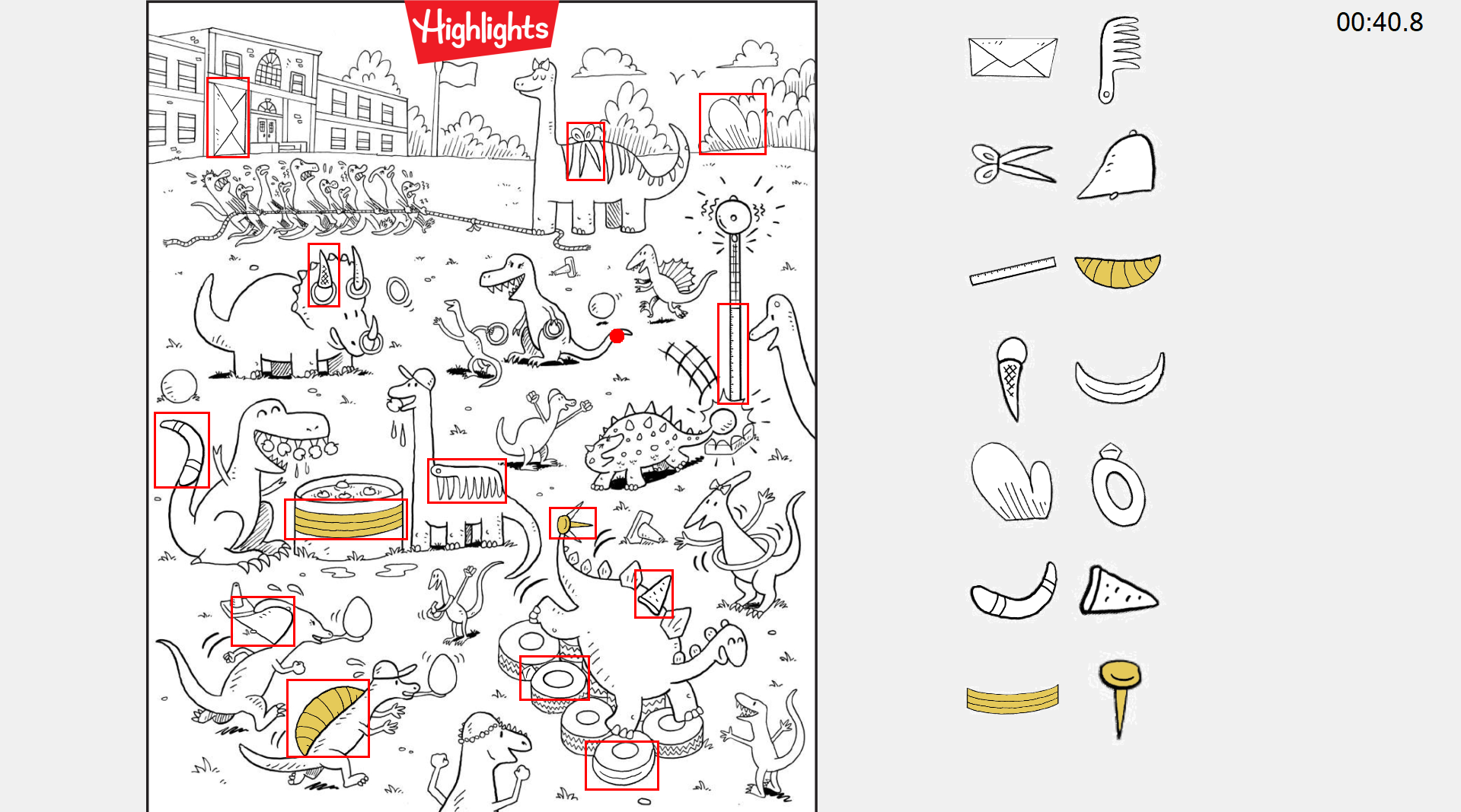
This past week was spent setting up an actual hidden object picture instead of my test image. I wanted it to be scaled to the height of the screen so I had to get a scale, which is the height of the screen divided by the height of the image. Multiplying the height and width of he image by this value scales it to the screen. Now, I wanted to try that method of getting the object coords, so I added to the mouse click event some code which alternates between two states, first and second click, using the coords of the clicks to create hidden objects and add them to the current image. The x, y (top left) width and height of the object rectangles are written to a file which is read in when the imnage is loaded. This is only meant to be done once. Then, I wanted to try to have the colored in versions of the rectangles show up when you look at the object. This is where my scaling came back to bite me, because it was not scaled the same as the normal image, taking the same rectangle from the color image was giving some offset, low resolution pixels instead of the "same" coords. So I basically had to undo the scaling when specifying what portion of the color image I wanted. This was quite annoying, but the coordinate mismatch is something that I have had to keep in mind and will keep in mind going forward. This next week I need to work on the key, synchronizing it with the main image, and organizing it properly.
Week 6
I was able to set up the key this week, which required getting separate images of each object, both in black and white and in color. I create boxes of a specified size, and scale the icon to that size. This makes it easy to stack the icons in a grid. This grid is sized to the screen by determining how many boxes can stack vertically on the screen. When the images are painted, there is a check for if the object is found, if so, the color version is displayed. This way it is easy to track what you still need to find. My main objective for next week is to tune the method for determining if a user has found an object, most likely utilizing some sort of coordinate history. Once that is done, I think I am done with the game-playing aspect of the application and should move onto the data gathering part.
Week 7
T'was the week before Spring Break, and I feel good with where I am at. I now have a reasonably complex way to determine that the user has found an object and mitigate the noise from the data. I store the previous thirty points of gaze data in a queue, and then store the average of those points' X and Y data in the fixationPoint variable. This is used instead of the raw gaze data. This will help with outliers. I also added a whole other page to look at, these can be chosen on the mainForm. My next step after the break is to be able to end the game and store the data for playback and analysis. A side project in the mean time could be to add a pause button, which should probably gray out the screen so you can't look at the image. Alright, see you later. I gotta go to Florida.
Week 9
Alright, I am back. Florida was strangely cold and windy, I ain't going to lie. Better than Wisconsin for sure. This week, I have been getting back into the swing of things. To start off and get warmed up I did implement a pause button which does exactly what you think it does, though it does gray out everything except the Pause and Back to Menu buttons, the key and the timer. So it actually only grays out the image, I guess. I also added the aforementioned back to menu button, so now the menus can be navigated as intended. I have started on attempting to store the data of a run of the game. I have created a class called gazeSample which contains the timestamp in total millisecond, the x and y values as floats and if the data point is valid or not, which just checks if the x and y are NaN or not. they are currently fed into a list as the run goes on, and this list is written to a file which is named with the username that is asked before the game is played, teh name of the image they played on, and the current time, so each file can be distinguished from each other. I will need to work out if I want to only store gazeSamples at certain intervals, or just only certain info at certain intervals, while leaving others out. Once this is sorted out however, the playback feature will be able to be used in both the game and the admin application. This is basically the final hurdle, I would say. It obviously needs some fleshing out, but getting the data in the right format, storing it the way that want, and getting the playback to work is the big thing.
Week 10
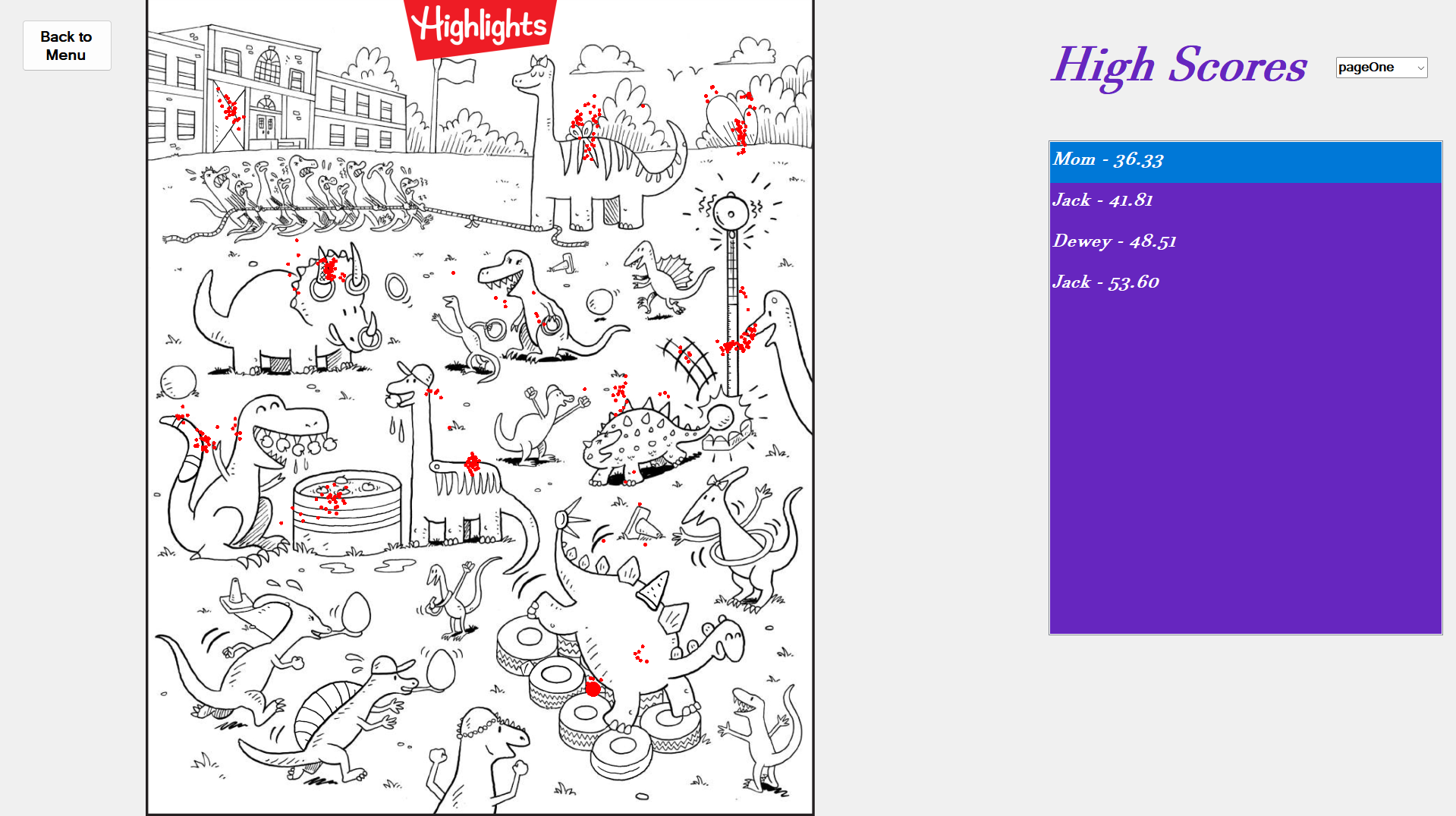
The past week has been one of my more productive weeks, I did some big additions, as well as some polish work. First, I did settle on my structure for the gazeData for each run of the game. One every three valid samples is recorded, and the timestamp in milliseconds, as well as the normalized x and y coordinates are written to the file. The biggest addition was the High Score Page, which is technicially fully functional, I just may want to do some design changes, I'm not sure yet, that will be discussed at the walkthrough. The high score page has a list of the top 10 highest scores for the current page being displayed, there is a toggle to look between the different pages. The page is displayed on the left hand side, in the exact same position that it is on the gameForm. This way, the replay feature works well, which I have also gotten to work. Whenever a score is selected on the list, the coordinates from the gazeData file associated with the score are processed and are displayed in real time, as I use a timer to recreate the milliseconds, which is compared to the timestamps in the gazeData. Previous points stay on the screen as smaller red dots and the current point is larger. This can be replayed by selecting the score on the list again. Lastly, a small issue that I had been aware of was that the timer seemed to be starting early. I did fix this, and as is usual, was simpler than I thought it would be. The timer label on the form gets its time from a recorded startTime, which is subtracted from the current time. I set the value of the startTime in what is essentially the constructor. So it would appear that the clock had started before the eyetracker loaded and the username was prompted. Now it starts after those two are confirmed. Now I get to prep for walkthroughs, and after that, get the admin application working, where I must programatically make it possible to add an image. Exciting.
Week 11
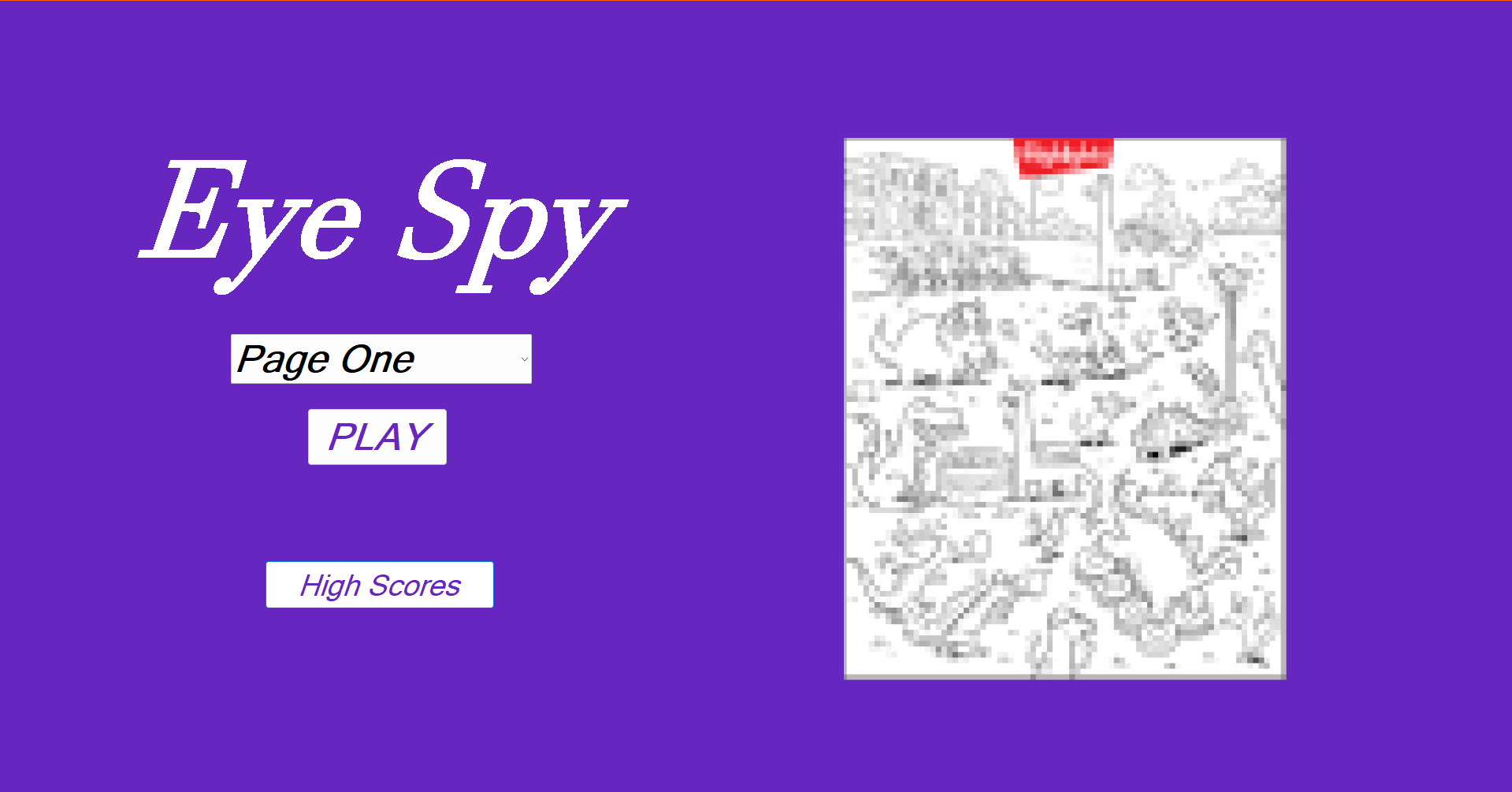
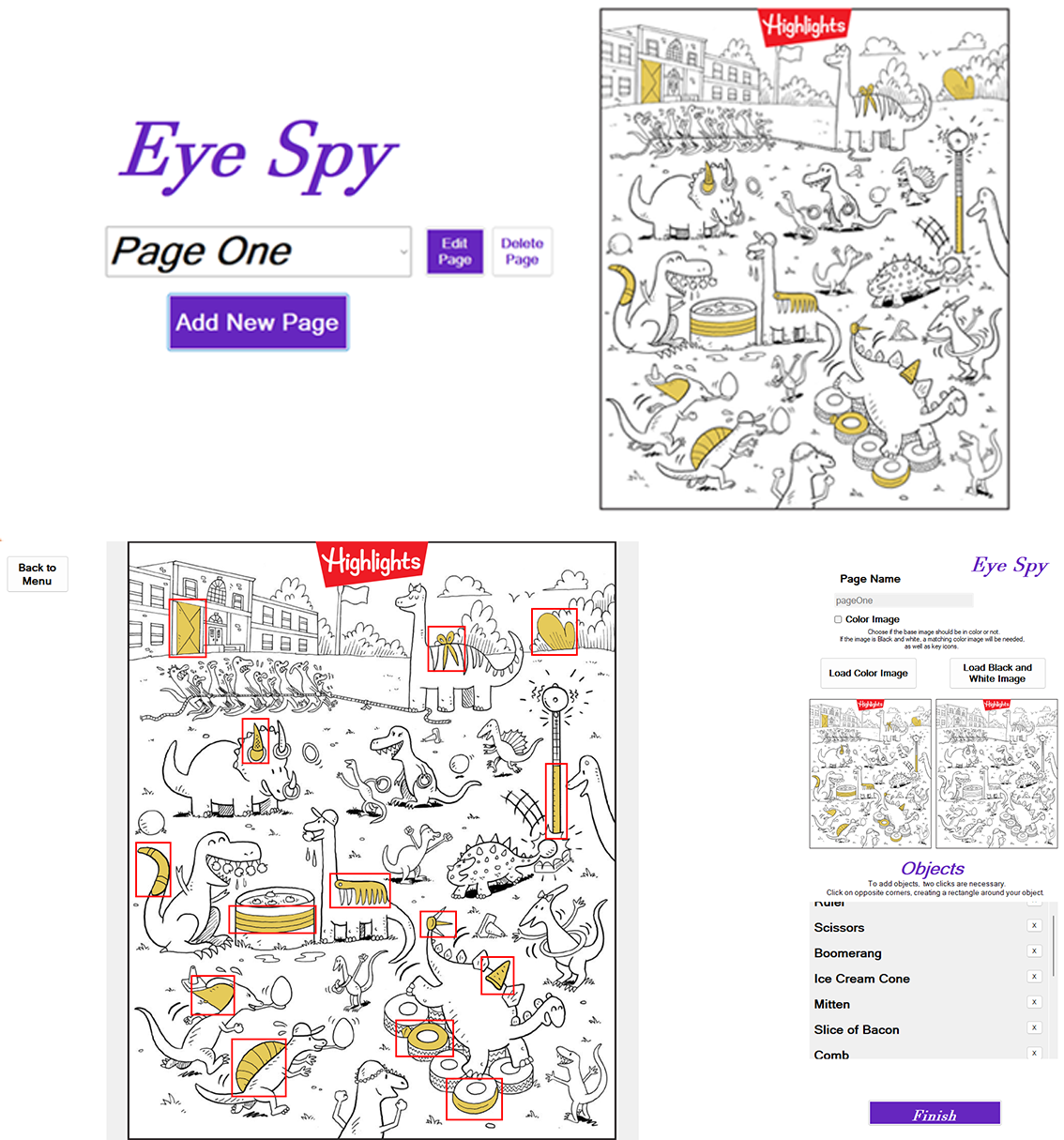
Aside from the strange refusal of the program to recognize that some of the objects were found, I think the walkthrough went pretty well. I have a fun, exciting program to show off, which helps. I just have to practice talking about it, which I expected. The main thing that I improved this week was a new layout for the main screen, seen below. Now there is no hardcoded buttons for any file, and it is read in from a list of pages in a txt file. This is true for the postGame as well, there is no more hardcoded page references. I also added a thumbnail, which I pixelated so the user cannot cheat on the main menu. I created a bitmap at a smaller size, drew the image on it, then drew that bitmap onto a a bitmap of the original size. This looked too blurry, which didn't look intentional, so I used the NearestNeighbor interpolation mode, which creates larger pixels. There is a drop down menu and a play button instead of individual buttons for the pages. To attempt to fix the detection issue, I have first tried making my paint function a lot less impressive. My paint fcns in my game form and post game forms drew basically everything on every game tick. Now, I am having a couple bitmaps, one for the background, image and key, and another bitmap for the found objects. Whenever something is found, the yellow objects are added to the bitmap, and only those two bitmaps need to be drawn instead of a bunch of individual draws for the objects. This has made the game run a bit smoother. Regardless, I haven't really been able to replicate what happened on Tuesday, even in the same room and with Braeden. So, I am not sure what the issue was, but I will be monitoring it. Now, with the menus being dynamic with the pages, I am primed to start the admin application. Exciting final step, aside from polish and all that.
Week 12
This week, I essentially completed the admin application. Screenshots of the interface are below. The only features yet to add to it are a button to return to the main admin menu and perhaps an edit button for existing pages. The experience of drawing the rectangles is better than it was previously, as now there is a circle which shows where your first click was. On the second click, the user is prompted for a name for the object, and a key icon, as well as a black and white key icon if the color box isn't checked. I need to be able to distinguish between a black and white and a color image being uploaded, so that is now a bool for the image and page classes, and will need to be handled in the game application as well now. The visuals of an object being found are the main difference that will need to be accounted for. It will probably be like red circle or X over the objects if there is no "coloring in" process to be done. The other main issue is shown in the bottom image, and is one that I had seen coming. The image is fit to screen by the height in the gameForm, so if the image is landscape, it is much too big. The way I display the image in the add new page form is inside of a picture box, in which it is quite easy to apply a max width and height. If I basically just copy the picture box over to the game, it should work exactly as I want it to. I have already tested it on multiple aspect ratios, and it works great (I may also try something similar with other UI elements in the game form and admin form. Another huge step forward was the addition of a class library, which lives outside of both the eyeSpy and eyeSpyAdmin projects. Now there is a shared file location, which I am still working out the best position, but it is shared currently, as well as all of the classes. They can all be referenced anywhere that I want, it has made production much easier. I would recommend it to anyone else in my shoes.
Week 13
It is the week before presentations, and I feel that I have a product that is ready to present. The admin presentation now has capabilities of deleting and editing an image, as well as more on screen instructions. One little thing that I had to not include was editing the name when editing an image. Obviously, this would involve changing the names of all of the associated files. It was giving me a surprisingly tough time, saying that the files were already being used elsewhere. I decided to cut my losses and disable the page name box when editing. I did see that issue when doing other testing, mostly when trying to use images that I already uploaded. So I had to make a function for copying images, in which if the source and destination are equal, we just return. That seemed to solve some issues that I was having when trying to create images. That could be something I look at later. In the meantime, I have pivoted to preparing for the presentation, putting my slides together and all that. See you then.
Finale
Alright, we are here, the end. The presentation went well, even though I went last and had to stew in anxiety all day. I am proud of myself and everybody else on a great semester. Right now I am wrapping up the files to turn everything and polishing up the website. I am extremely proud of this project and everything that went into it. I had been quite anxious for a while about doing the capstone before I started it, but once I started working on it, taking it one day at a time, and working on something at least a little bit each day, it all seemed to go alright. I cannot thank Taylor and Kaden enough for their documentation regarding the eye tracker and getting it set up. Having access to the eye tracker and getting it connected within a week helped me get off the ground immensely.