Madeline Krajewski
This week, I finished up the debugging of Algorithm 1. A simple shift to the wrong direction caused the desaturation, and an incongruency between the encoding and decoding starting points caused the striation. Here is proof of this success via the decoder:
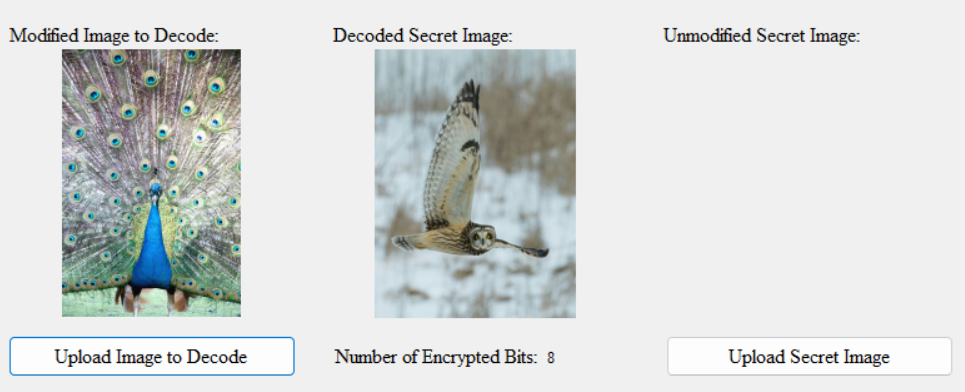
Huzzah! This success felt wonderful after the weeks of constantly thinking I had completed the process. I think, at this point, I can say the code for the encoder and decoder is done! I continued to add documentation to my currently written functions as well, and I only have the two biggest functions left. With only the ‘fun’ parts left of Algorithm 1 (tasks1 and UI clean up), it’s finally time to turn my attention to Algorithm 2. This one does not work at all how I had thought, and I’m glad to turn my attention to it, as it has caused a great deal of anxiety.
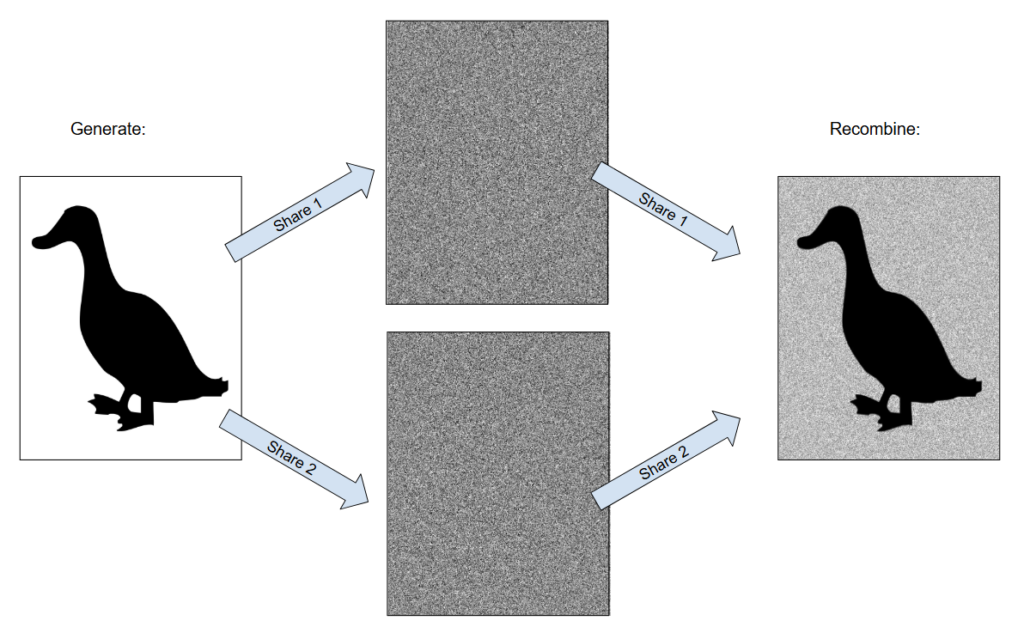
So, how does this Algorithm work? Basically, we take one (black and white) image and break it into shares. For now, I need to make two shares; the shares will also be the same size as the host image. Both shares also need to be present to reveal the secret image. Here is what the process looks like:
A series of permutations (or “coin tosses”) generate where the data gets stored, and another one chooses which outcome gets passed to the shareholders. I’ve replicated Doug Stinson’s chart here, but I changed some of the phrasing and terms to hopefully better convey what is going on here. I struggled with determining this, and I found this rephrasing helpful for myself.
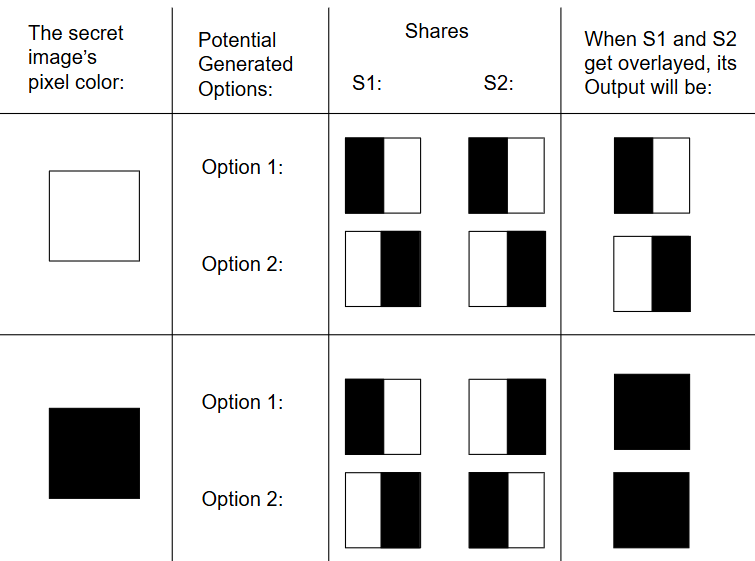
For those interested in Doug Stinson’s version, I’ve added it here.
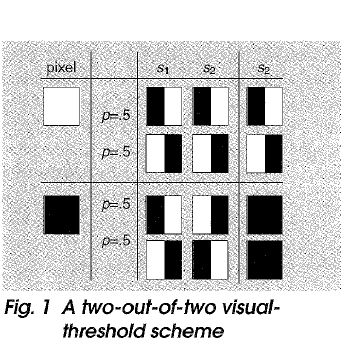
Reference: Visual Cryptography and Threshold Schemes” by Doug Stinson
So far, I’ve been working with pixels in the singular context of it being exactly one color. However, pixels generally look similar to this:
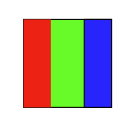
This is something I didn’t realize when I first began approaching this project. Since pixels are so small, our eyes cannot perceive these changes. The light coalesces into one unifying color, which is why we perceive a pixel as yellow, or green, or orange. When the colors are all identical, it forms a grayscale version of the shade. Black is (0, 0, 0), and white is (255, 255, 255).
I am uncertain quite how the colors come out quite right to form the black and white halves of each pixel, but my professor has reassured me this is the case2, and I have decided to simply trust her word and hope to find understanding through doing the project as opposed to knowing up front. I suspect the knowledge of a pixel’s divisions as depicted above will aid me in the future, hence why I share it here. This week, I will complete the UI, implement the progress bar via tasks, and continue to try working out the algorithm on paper.
- Tasks are a computer science technique which allows processes to run without locking up the computer’s display. By adding this, I can add a progress bar which updates in real time, as well as a ‘cancel’ option so the user can exit if the process is taking too long or if they decide they dislike the image they chose. ↩︎
- Note: Hello, Madeline from the future! It turns out I did not understand my professor correctly. It is better to think of it like this:
white = 1 0 black = 1 0
1 0 0 1
Flip a coin. Heads is the first column, and tails is the second. The intersection of the first row and the coin flip’s column is what gets encoded in Share 1, and the second row’s intersection with the coin flip’s column is what gets encoded in Share 2. Let’s say I have a white pixel. If I flip a coin and get Heads, then I would encode a 1 in Share 1, and a 1 in Share 2. Similarly, if encoded a black pixel and got a Tails, the Share 1 would get a 0, and Share 2 would get a 1. Hopefully, this makes more sense–it certainly helped me! ↩︎
Sources
“Duck Silhouette” by Mudassar Iqbal from Pixabay
“Static Noise” by Theodore Palser from PublicDomainPictures.net