
Madeline Krajewski
Building this website was quite stressful, and I worried I wouldn’t make the deadline. Thankfully, gradual progress and hours of work led to a successful outcome. I have not had the chance to continue my program’s development, but I plan to continue my research by starting with image file types as suggested by my professors.
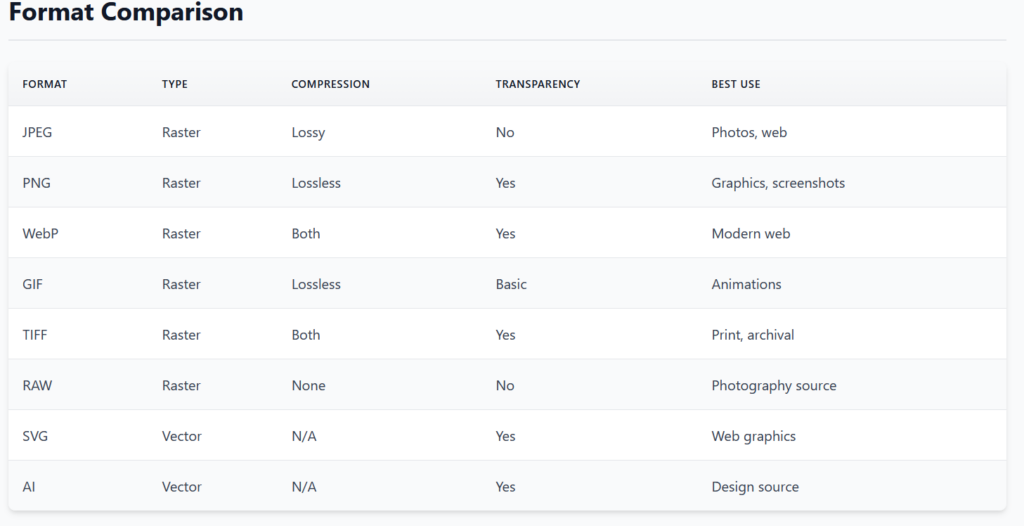
From my graphic design concentration, I know there are two types of image compression: lossless and lossy. Lossless preserves a full yet compressed copy of the original image. A lossy image, however, will “throw away” image data during compression. An example of a lossless compression file type is PNG, while an example of a lossy compression file type is JPEG. Most compression file types of support both lossless and lossy compression, so it can be difficult to determine which was used and what it will mean for my steganography project. I also will need to account for uncompressed images such as BMPs (Bitmaps).
Additionally, there are two broad categories of image file types: vector images and raster images. Vector images can scale in size without losing quality; raster images’ quality is measured by PPI (pixels per inch) or DPI (dots-per-inch). Vector image types include SVGs, AI (Adobe Illustrator), and EPS. Raster image types include PNGs, JPEGs, and GIFs. Currently, I’ve conceptualized my project in terms of pixel manipulation; however, vector images are a different matter entirely, and I do not yet know how to approach this.
I also wish to consider the different color types: RGB (Red-Green-Blue), monochrome (black-and-white, and one which includes shades of grays), and CYMK (Cyan-Yellow-Magenta-blacK, which is used in printing). Within each category, there are different amounts of precision in which one can store color data. For example, RGB has various bit sizes ranging from 3-bit to 30-bit, though most computers cap at 24-bits per pixel. There are also variations in ratios; some color models (such as dichrome palettes) may eliminate one of the color categories (think of it almost like a filter applied to an image so it only displays blue and green hues).
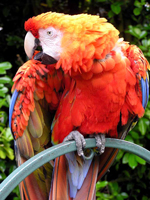
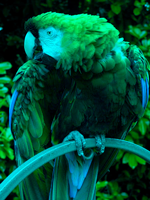
One last consideration I need to make is whether I can use the transparency settings of some image types for encryption. PNGs, for example, have transparency settings per pixel, whereas JPEGs do not. The positive of using transparency is that I can make more changes to the image and remain undetected; however, the downside is that not every image type uses it, and during compression and exporting, if the user selects the “wrong” image type, it will lose the encrypted data and render the modifications useless.
Currently, I am determining the scope of my project. Within my project description, I was not told how many image file types I needed to consider. As a result, I am left with the decision in my hands. My goal is to try to accommodate as many image types as possible. I plan to begin with bitmaps (BMPs) since I do not need to account for compression of either type. I also suspect the bulk of encryption will occur by turning the original image into a bitmap, then augmenting it, before writing it to a particular file type. By starting with bitmaps, I can jump into the algorithms as well to begin determining how to encrypt the data.
Overall, this week has consisted mainly of thinking—one of my favorite activities. Brainstorming solutions is a strength of mine, so thinking about how I plan to approach each aspect of my project has helped strengthen my project vision. While I need to research more, I feel like I could perhaps start coding certain aspects of my project sometime this week (such as file reading). I have yet to find a comprehensive list of all image types, and until I can find one I do not yet know what file limitations I need to set.
Citations & Image Sources
“Types of Image File Formats: Complete Overview.” BulkImagePro, BulkImagePro, 17 Feb. 2025, bulkimagepro.com/articles/types-of-image-file-formats/.
“List of Monochrome and RGB Color Formats.” Wikipedia, Wikimedia Foundation, 31 Jan. 2026, en.wikipedia.org/wiki/List_of_monochrome_and_RGB_color_formats#Color_ palette_comparison_side-by-side.