
Madeline Krajewski
This week, I found my footing once more. Somehow, I got it done! I now have a working encoder and decoder, with one small caveat: the image export does not work yet.
Here’s how my encoder works. I’ve uploaded several different color output examples to hopefully help anyone with color blindness follow along. My program works by taking the Most Significant Bits (the first n number of bits on the lefthand side) of the Secret/Hidden Image and storing them in the Least Significant Bits (the first 8-n bits on the righthand side) of the Host/Original Image. It does this per pixel and writes it to a bitmap file (the output). At the end of the execution, it then displays this bitmap file to the Changed/Output picturebox.
For example, let’s say I want to change four bits. If my Host color is (Y1Y2Y3Y4 Y5Y6Y7Y8), and my Secret color is (X1X2X3X4 X5X6X7X8), the new Output Color would be (Y1Y2Y3Y4 X1X2X3X4), with (Y5Y6Y7Y8) getting overwritten and (X5X6X7X8) getting “thrown away,” so to speak. We want to keep the Secret Color’s Most Significant Bits (X1X2X3X4) and store them in the Host’s Least Significant Bit spots (Y5Y6Y7Y8). This way, we keep the most important color information of the Host (to disguise the changes better) and hide the most important colors of the Secret (so that the decoder will generate the closest approximation of the secret color it can, since some of the less important color information is getting thrown away).
Alright, here are my tests:
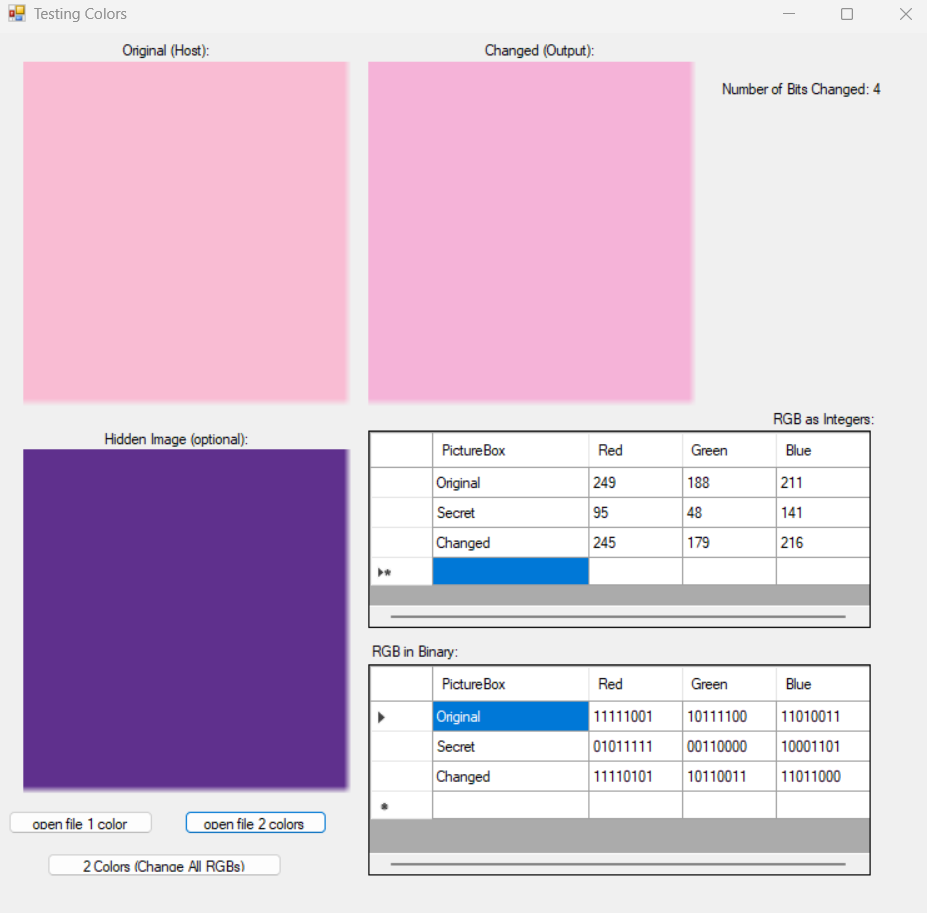
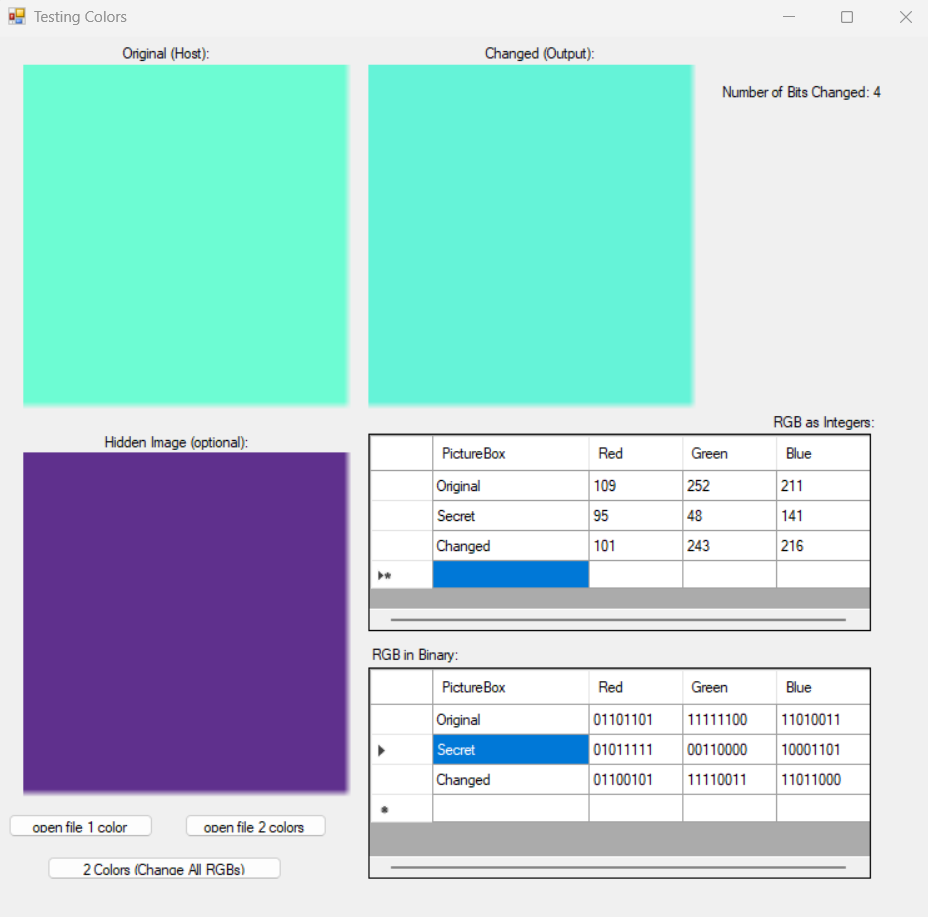
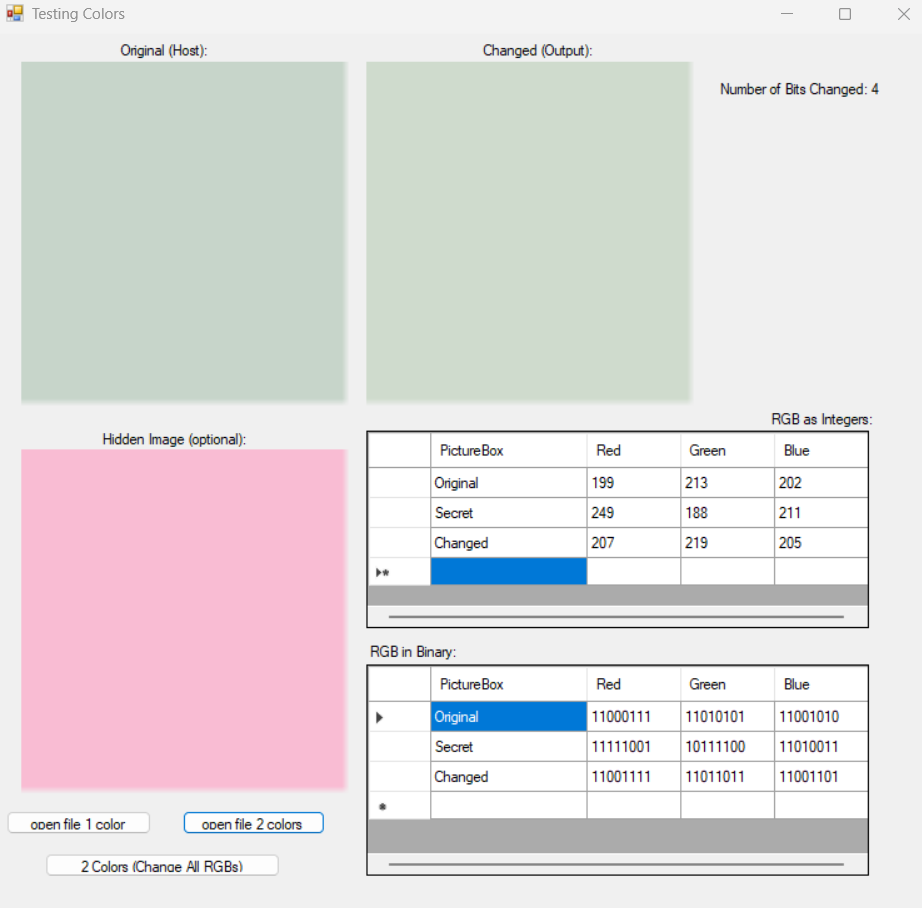
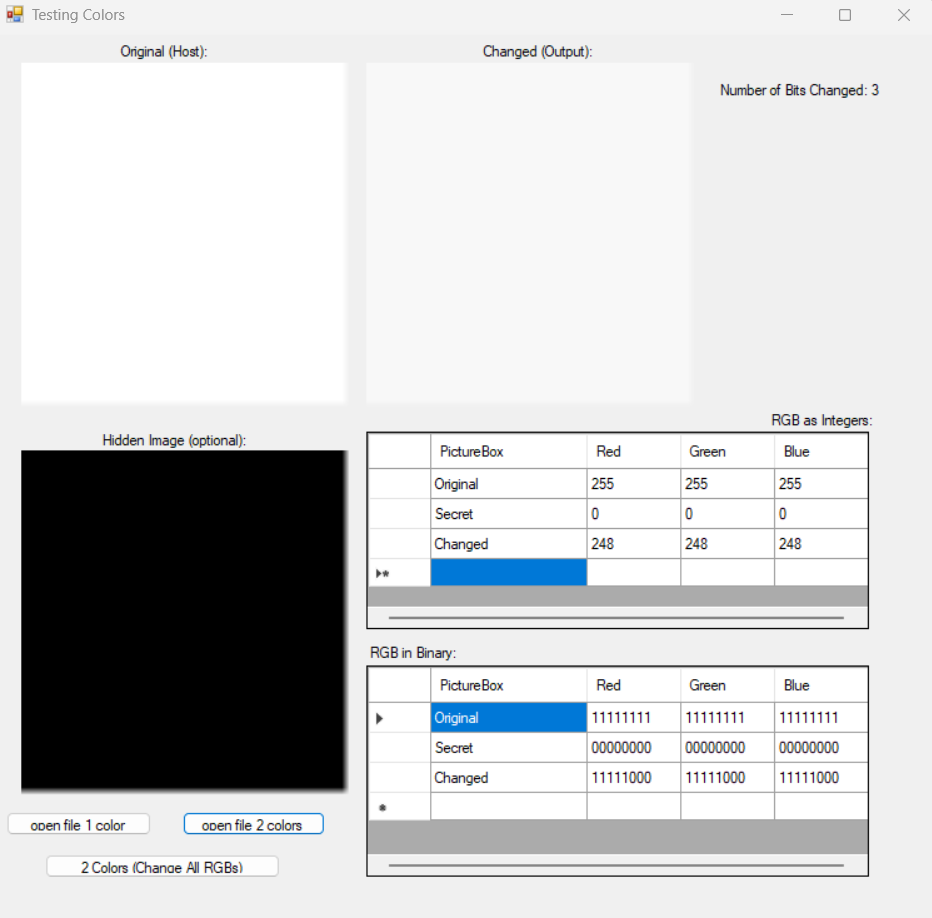
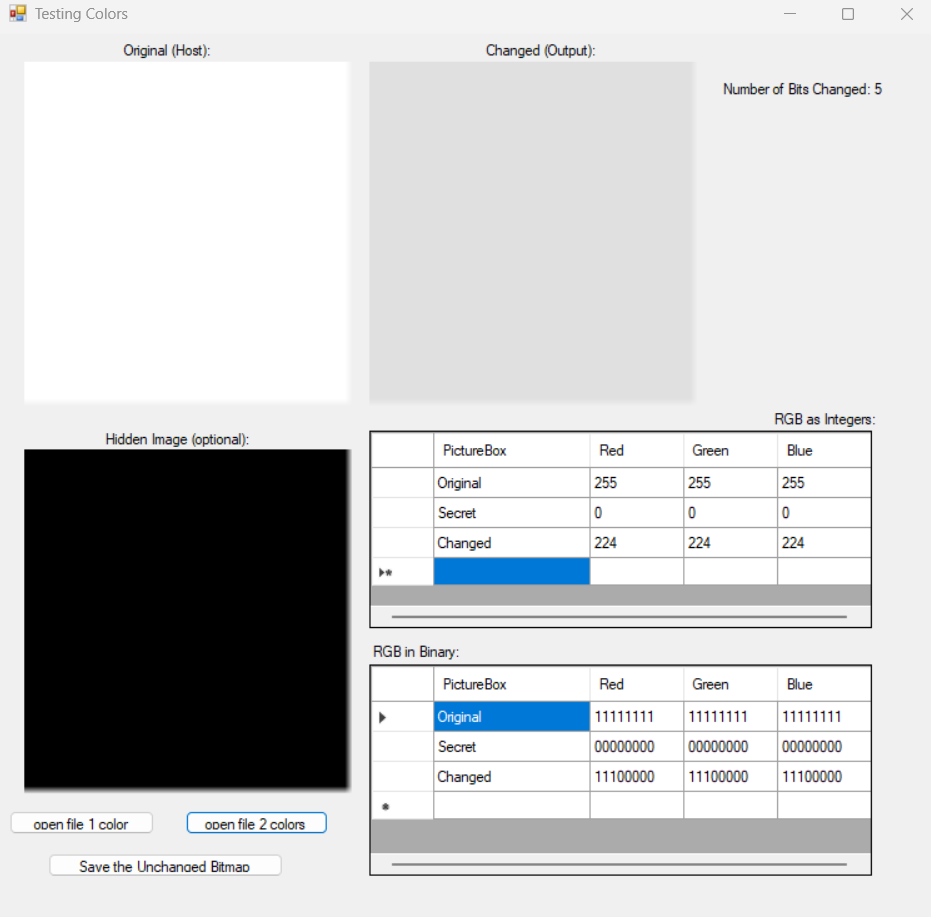
You may be wondering why the black and white outputs use three and five bits instead of a single output of four. That’s because the form background is that exact color! I had gotten incredibly confused when my program ‘stopped working’ and was quite relieved to find this to be the case. What a funny ‘bug!’
Here are some outputs using two images instead of colors. I’ve tested a variety of bit sizes to change. I’ve shown them from least to greatest. See if you can spot the differences as the bit size increases. I’ve omitted zero and eight. Zero means the secret bird doesn’t get copied at all, and eight because it gets copied in its entirety, which defeats the purpose of hiding it at all.
Note: The pixel shown in the two tables is the last one changed, so if an image is of size w (width) and h (height), the top leftmost pixel is (0, 0), and the last pixel is at the bottom rightmost side of the image at (w-1, h-1). We subtract one from w, h because computer scientists start counting at zero. If we were to look at the index (w, h), we would get an error, and the computer would crash because it could not find this pixel.
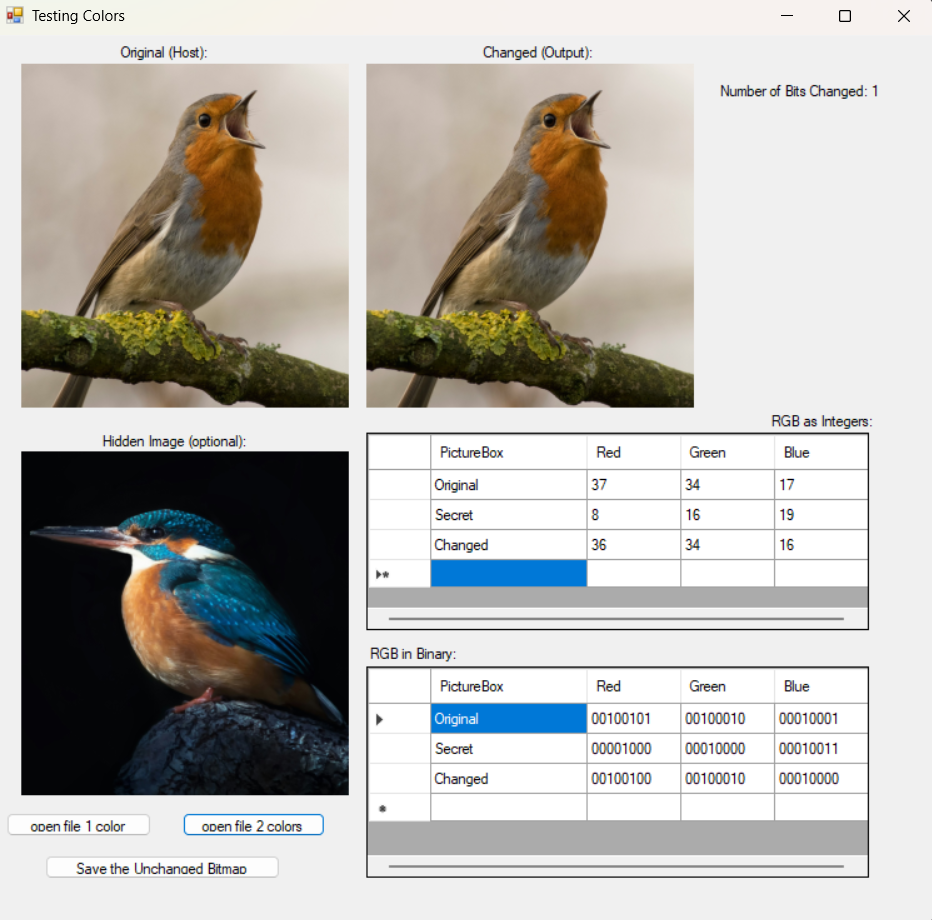
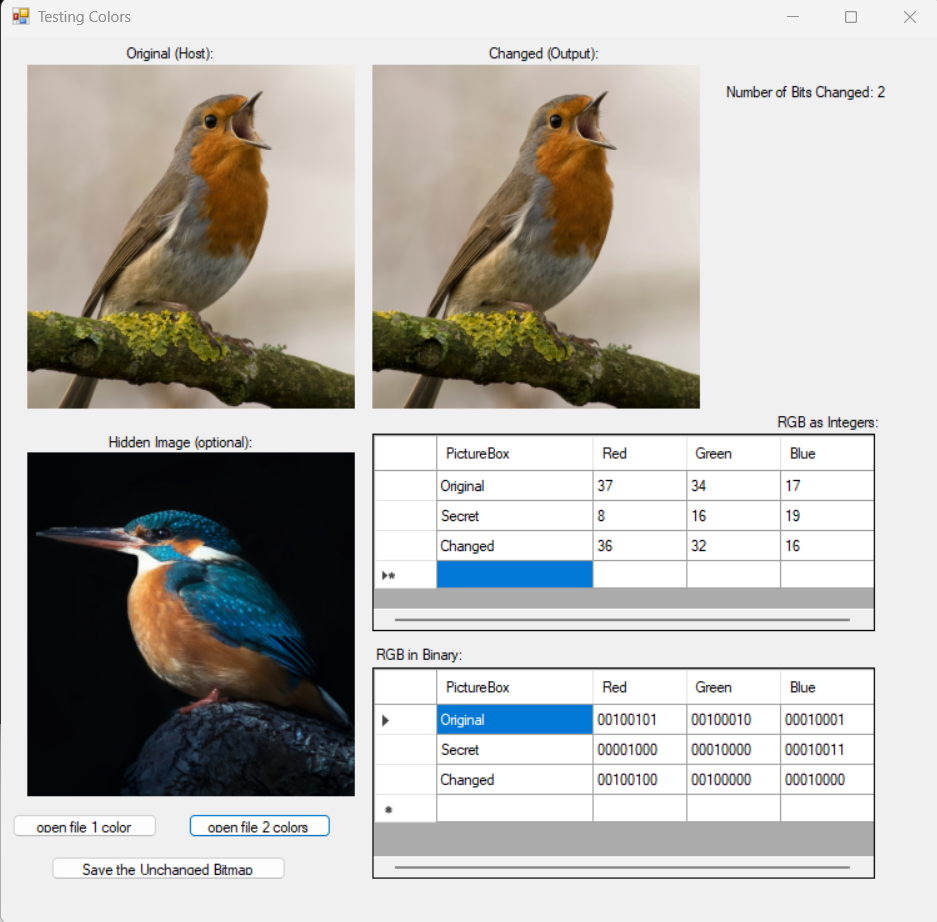
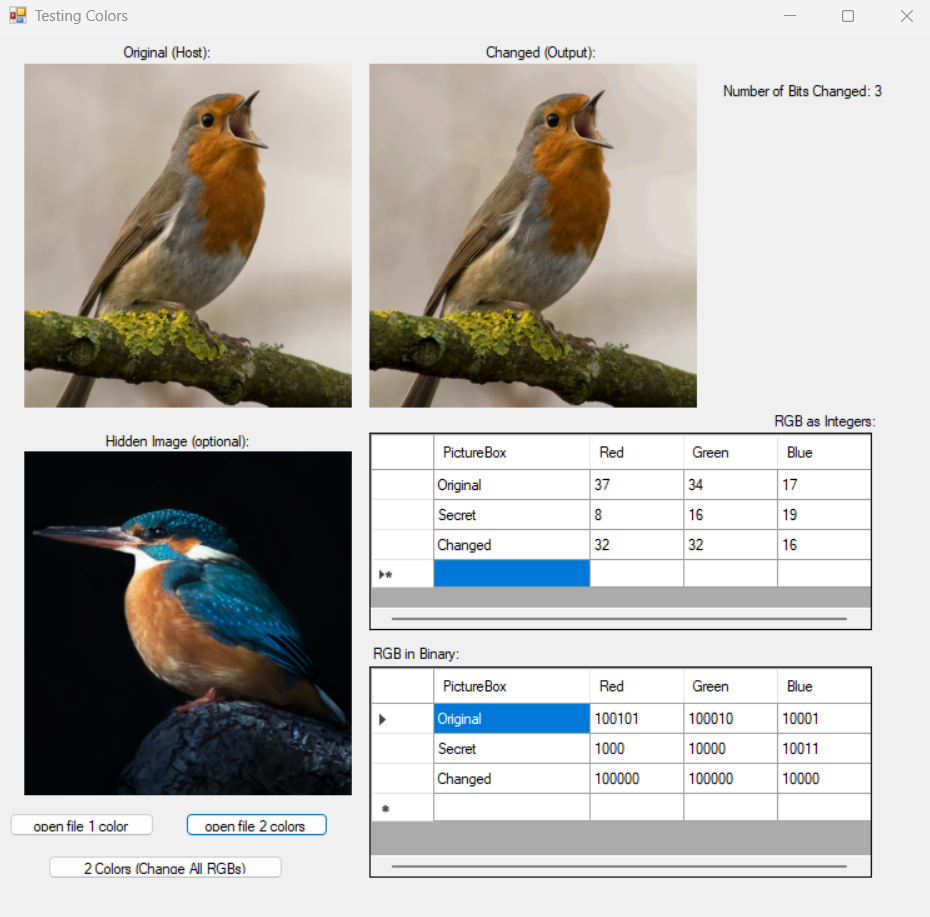
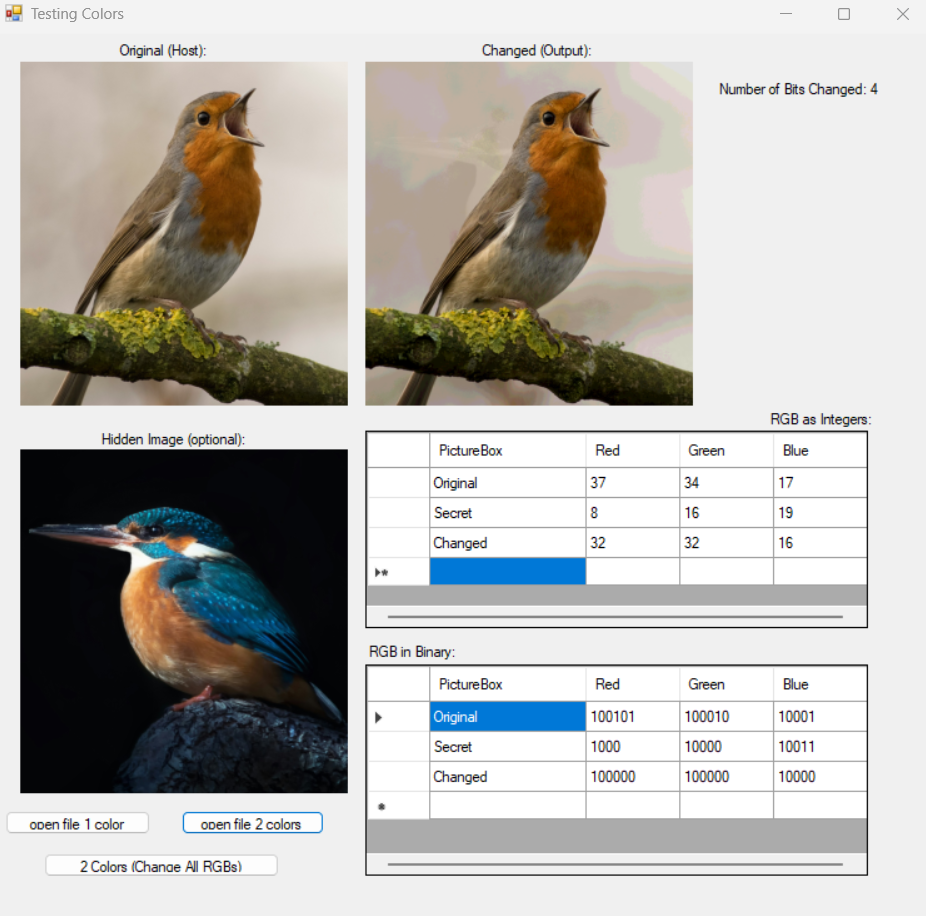
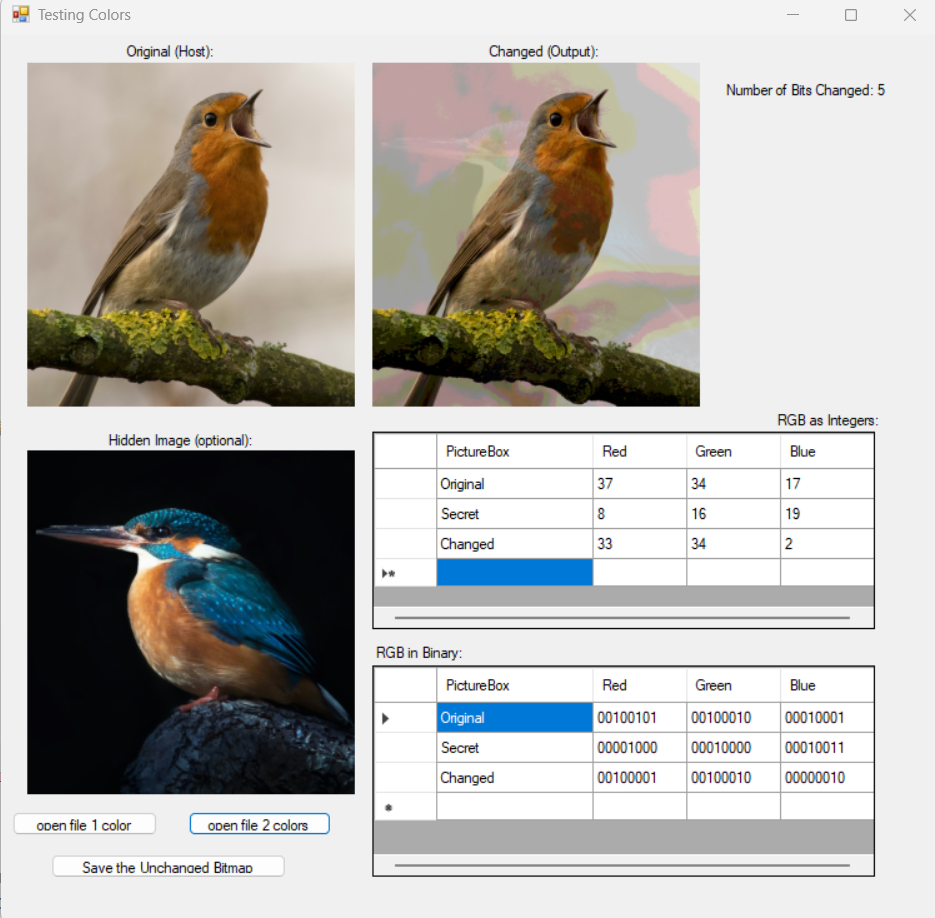
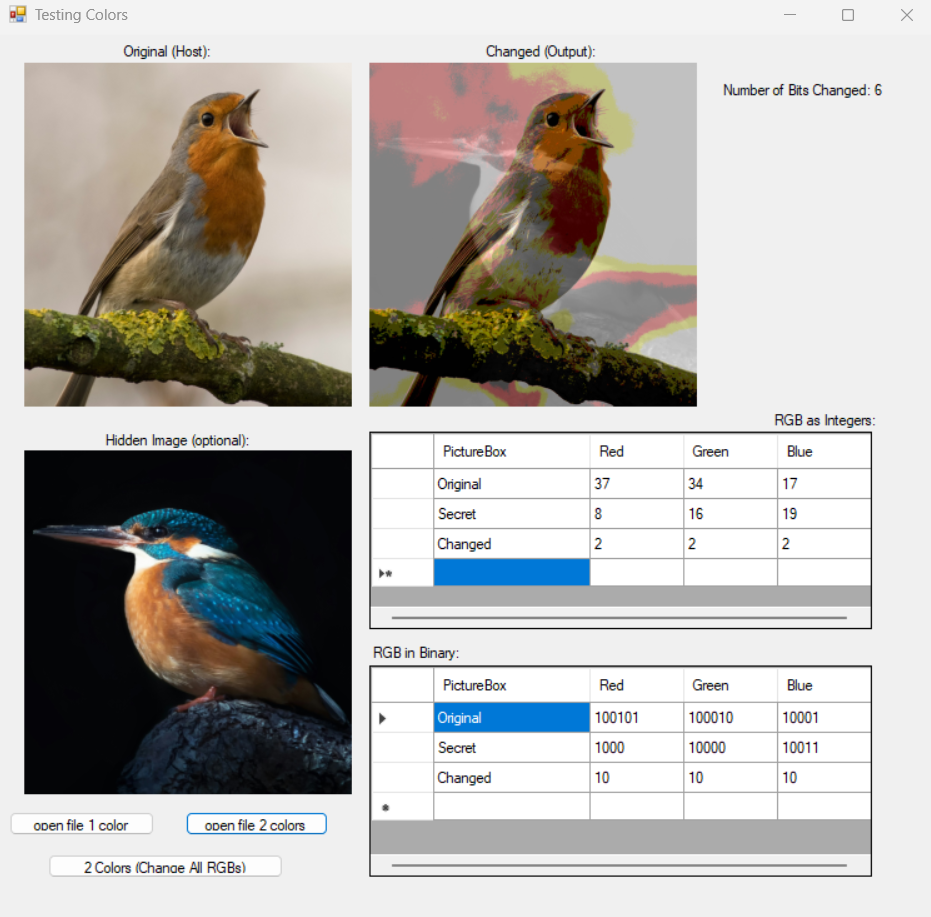
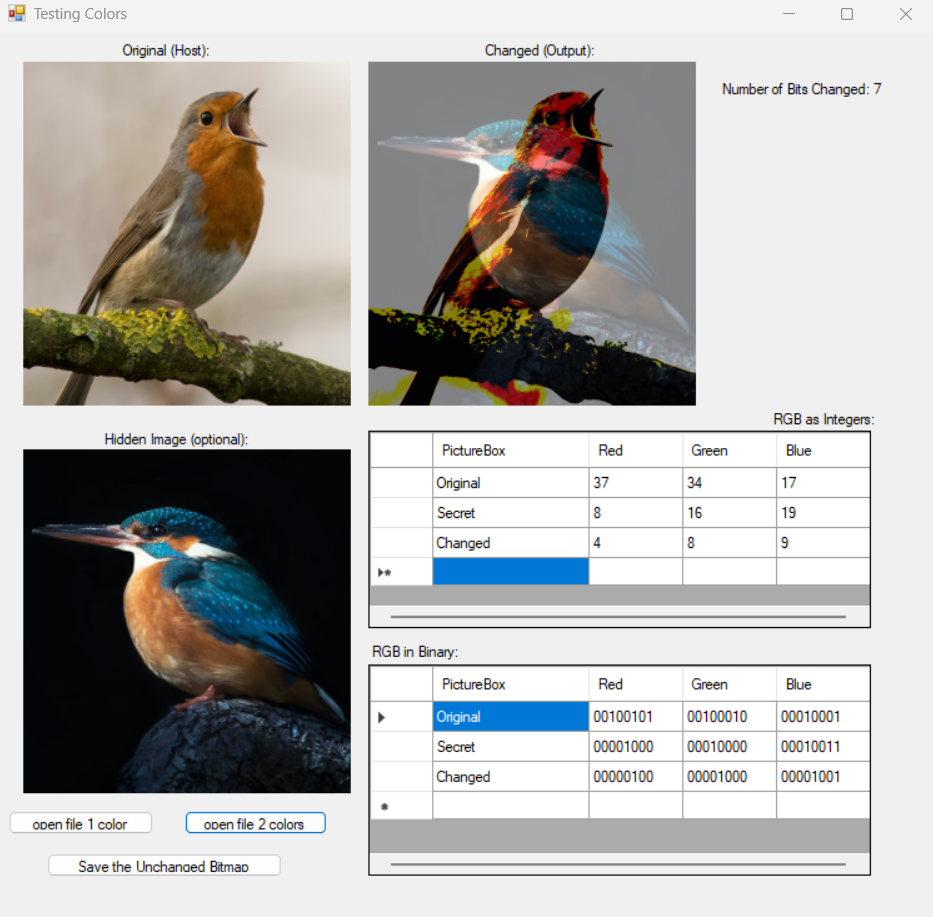
Pretty neat! I will admit, I was a bit concerned to see how much the secret bird could be seen even at three bits. If you look for the secret bird’s beak, you might be able to spot it. This will, however, be remedied with a concept called hashing1, though that will take place quite a bit (ha) into the future. Hopefully, with a bit of math, we can hide the pixels in a predictable but seemingly randomized order so that the secret image cannot ghost through the host image.
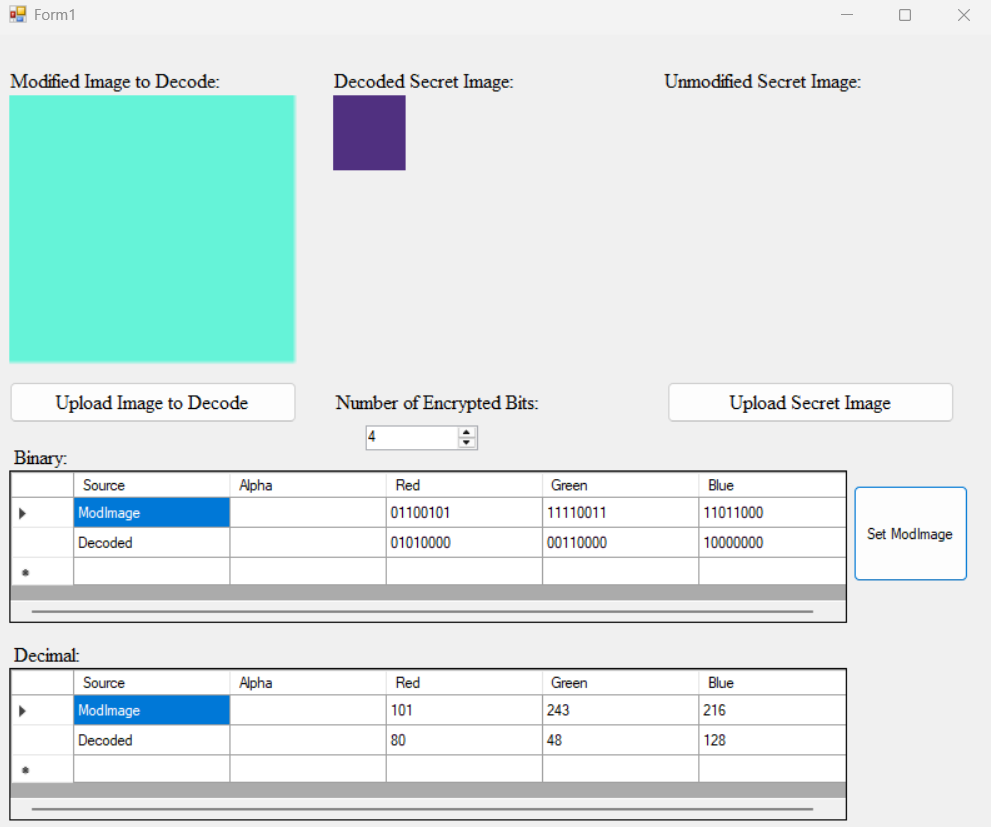
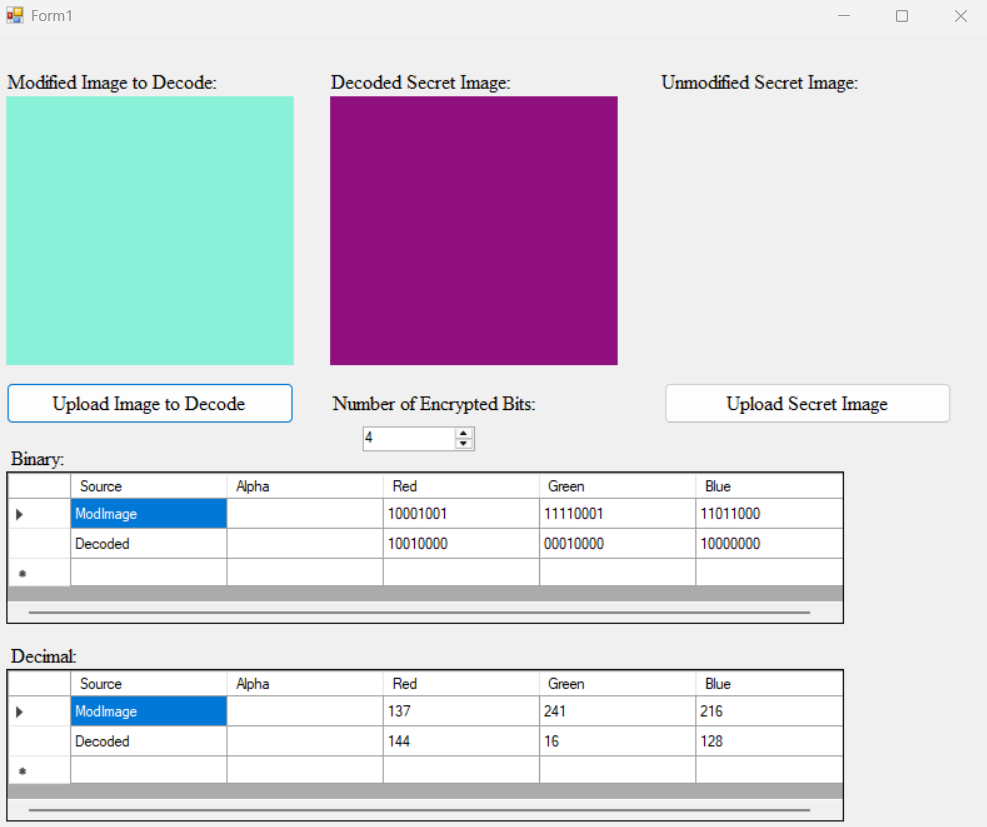
Now, the problem. I cannot actually test whether my decoder works because I cannot export and save the images. Something strange is going wrong with C#’s Image.Save method. On the one hand, yay! It isn’t a bug I caused. On the other, this is something I cannot easily fix or diagnose. I need a professor’s help in order to continue. I had thought I could take a screenshot of the color and it would be fine, however…. notice the bits here:
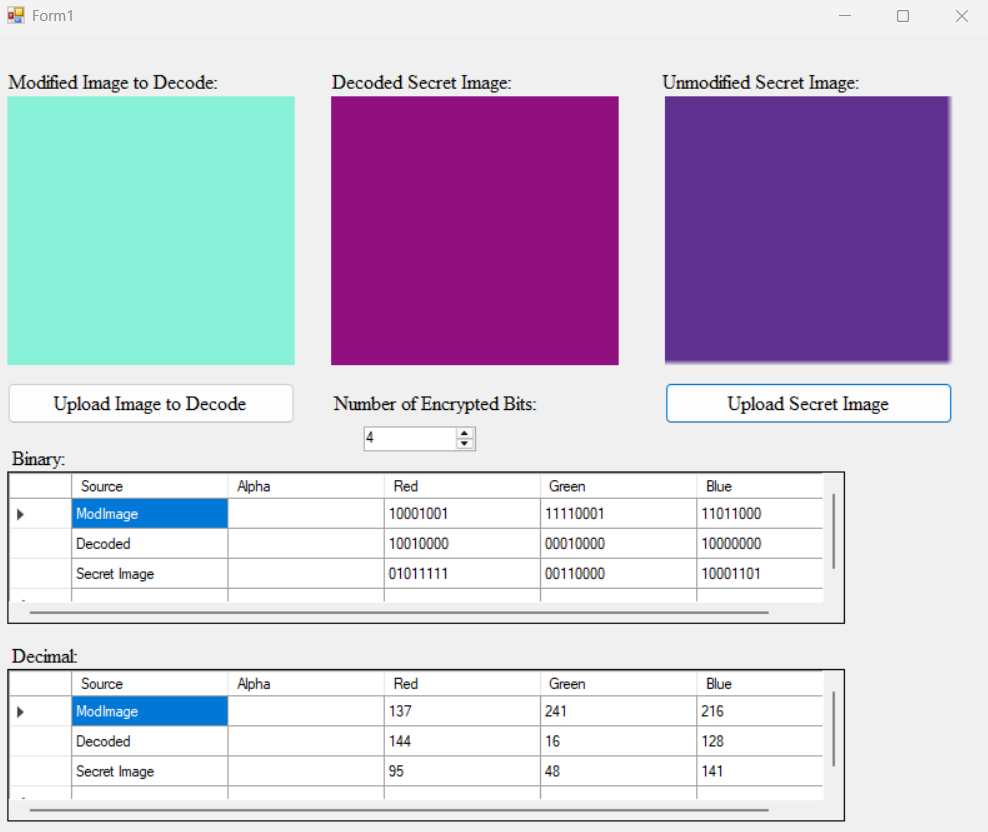
See how they don’t match? I’ve attached the relevant screenshot below for reference so you can compare the bits as I did. For some reason, the screenshot resulted in two different colors, despite the fact I took it from the center of the image. As a result, I cannot properly test if my decoder works, though I’d be surprised if it doesn’t. It was a simple shift to the left, so it only “pushes” the Least Significant Bits and puts them into the Most Significant Bits.
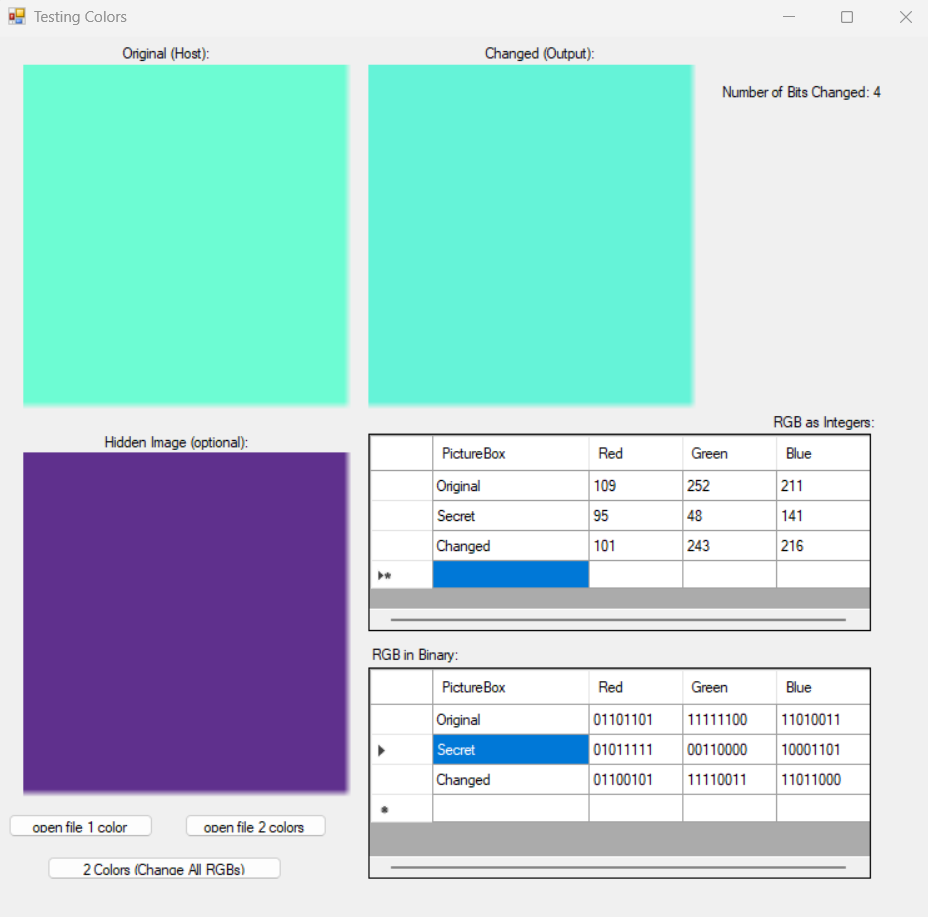
I did, however, attempt to use my decoder anyway. I wrote this function and added a button just to see if it worked. I think it did, though I don’t know why the one in the middle is so determined to stay small (see below)! I told it to be a stretch image in the decoder function and tried to put it before, then after, and finally, both before and after. It chose to stay small. (I need to figure out which PictureBoxSizeMode will function the way I want it to–I think Zoom may be correct.)

Here is my small, temporary function. All it does is create a bitmap image from a specified RGB value:
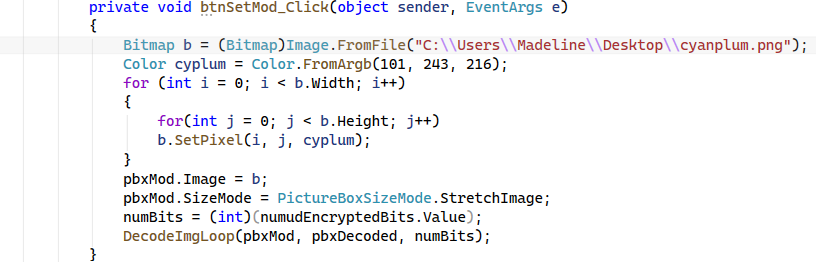
Here is the new output:
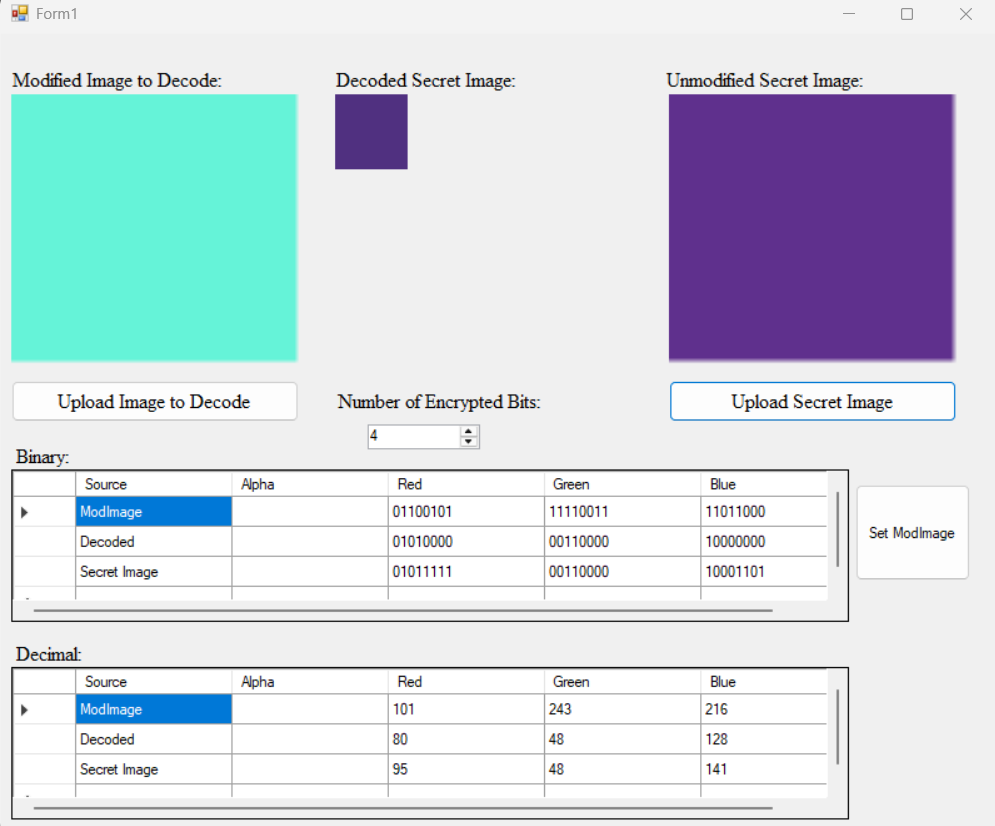
It appears to have worked, though the purple is darker to my eye. I would count this as a success, at least until I can test it more extensively! I think this is as far as I can make it without help.
PS: for those concerned over shared memory, here is a screenshot from before I clicked the Upload Secret Image button for both versions of my tests:
Sources:
“European Robin” by Jan Meeus on Unsplash (Host Bird)
“Common Kingfisher” by Travis Blessing on Unsplash (Secret Bird)
- Note from Future Madeline: I did not end up needing nor using hashing to resolve this issue. For any future Capstone students with this project, I would recommend trying to hide the last pixel of the secret image in the first pixel of the Host image, as the secret bird “showing through” the host bird image would simply look strange, since the pixels are not in order. ↩︎