This week, I finished my encoder for Algorithm 2 and presented my Capstone project. It was a whirlwind of activity, and it feels strange to finally reach the end of this journey–both of this Capstone, and of college.
Before I truly finish this chapter of my life, I would like to teach one last thing: what I’ve learned about Algorithm 2.
First, for the encoder: here are the final versions of the two-share arrays.
| Black | Column 1 | Column 2 |
| Share 1 | Black | White (Transparent) |
| Share 2 | White(Transparent) | Black |
| White | Column 1 | Column 2 |
| Share 1 | Black | White (Transparent) |
| Share 2 | Black | White(Transparent) |
The process goes as follows: randomly select a column. Then, for each row, place that piece of information into the row’s associated share.
That’s it. All you do is go down the column and write that color of pixel to the same spot in each share’s Bitmap.
For the general k, it is just as easy. Here is the three share version of both charts:
| White | Column 1 | Column 2 | Column 3 |
| Share 1 | Black | White (Transparent) | White (Transparent) |
| Share 2 | Black | White (Transparent) | White (Transparent) |
| Share 3 | Black | White (Transparent) | White (Transparent) |
| Black | Column 1 | Column 2 | Column 3 |
| Share 1 | Black | White (Transparent) | White (Transparent) |
| Share 2 | White (Transparent) | Black | White (Transparent) |
| Share 3 | White (Transparent) | White (Transparent) | Black |
Do you see the pattern? For the White color table, the shares all share (ha) the same information. Additionally, with each new share, you simply add a new column that’s either black or white. I have not tested this, but I strongly suspect that there should only be one column with black pixels, and the rest should be white/transparent. This is due to the fact that in the black pixel sections of a given Secret Image, any given share will have  black pixels. As such, my process of creating the White color array is flawed since it currently keeps the probability at
  for even numbers of shares and
  for odd numbers of shares.
Similarly, for the Black color array, everything should be white/transparent–except when the row index matches the column index. This is quite easy to implement programatically, thankfully.
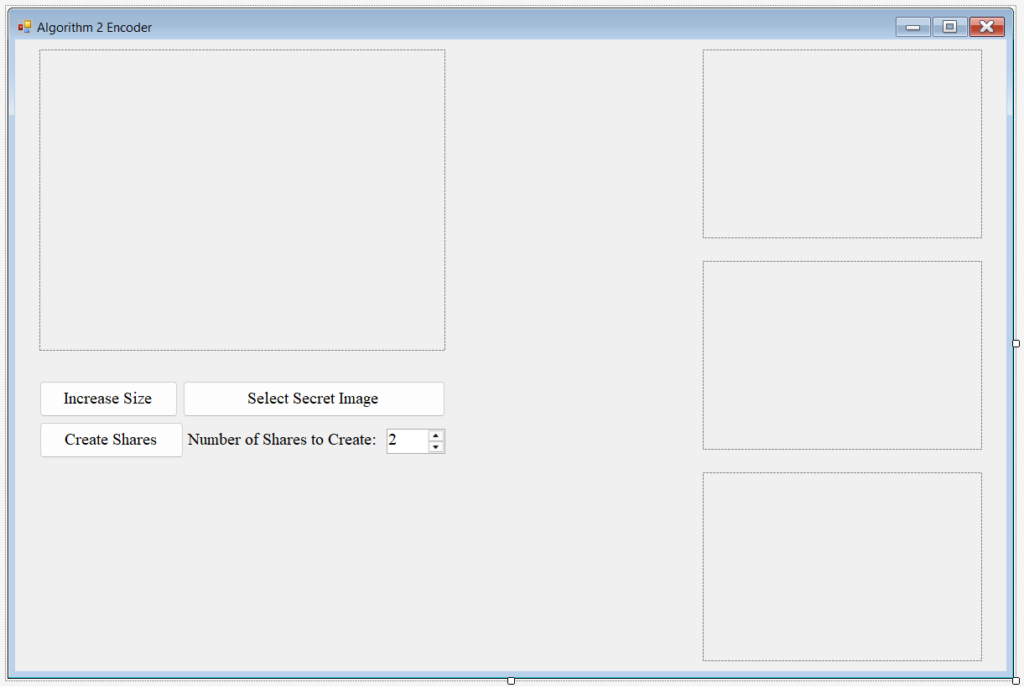
Here is the UI for my Algorithm 2 Encoder:
Here is the program run on a test image:
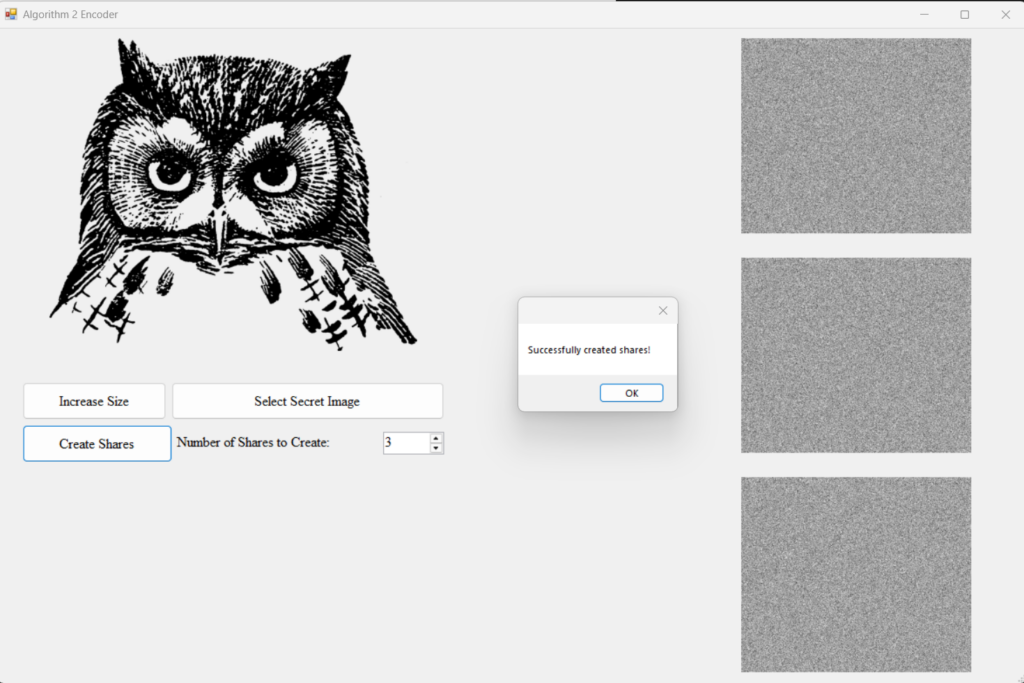
For this Algorithm, I decided it would be nice to save the shares to the computer automatically. This way, the user does not accidentally miss a share during the saving process.
Now, here is Algorithm 2’s Decoder. The decoding process for Algorithm 2 is rather simple: all you need to do is write any black pixels from any share to a Bitmap, and any non-black pixels as transparent/white.
For this decoder, I made a form which asks the user how many shares they wish to combine.
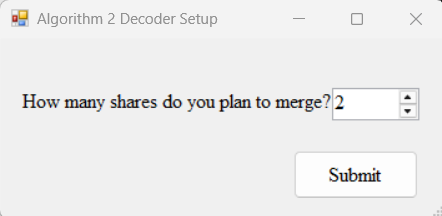
Then, my form programatically creates the number of pictureboxes which hold the shares (displayed across the top of the form).
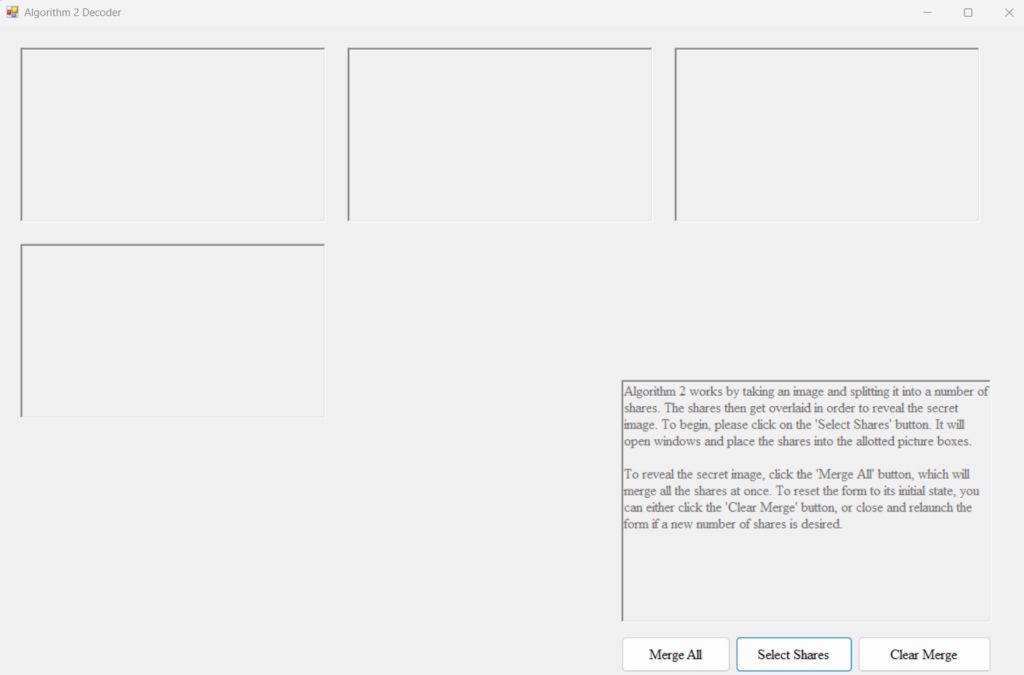
Now, here it is decoding the shares:
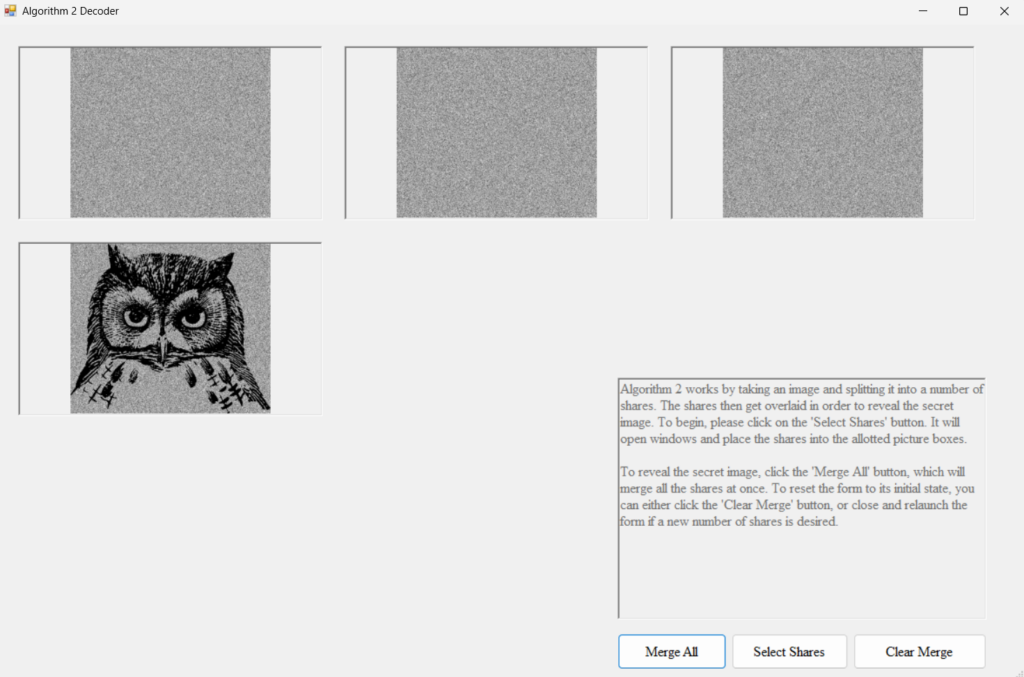
Here are the three shares created, for anyone who wishes to experiment and verify that the shares work as shown here.



Pretty neat, huh? It seems much more complex than it is, in truth. Hopefully, this little demonstration will help you when you encode your very own version!
I hope you enjoyed the journey as much as I did. This has been quite a unique experience, and I’ve learned a lot about what to do–and what not to do.
Signing off for the final time,
Madeline